
Interactive Usage Scenarios
We have built an Interactive System to help guide you through your Decision Automation journey.
How Can DMN Help You?
Currently business users do not have a meaningful way of understanding how DMN can help them. It can be challenging to understand what features DMN tool vendors are offering and which of these a specific business really needs.
The DMN standard is a technical and complex document aimed at vendors. The standard defines conformance levels that don’t support pragmatic and step-by-step adoption of DMN. As a result DMN adoption can appear to be an all or nothing proposition which is misleading.
Once aware of the capabilities you need, you are well on your way to selecting an appropriate DMN tool and level of training to fulfil your current requirements in the simplest way possible. As your needs evolve, you can return here and use the guide to see which additional facilities you require.
Why not try out the guide right now and find out which features of DMN you need to further your business goals? The guide unavoidably uses some DMN terminology, please consult our glossary to determine the meaning of these terms.
Interactive Usage Scenario Guide
Our interactive usage scenario guide is designed to overcome this problem.
Follow our steps below and our guide provide a visual guide to how best solve your query:
- Step 1: Identify which business path best describes your current needs and activities.
- Step 2: Determine from this which DMN usage scenarios are best fitted to your requirements.
- Let us show you which DMN tool capabilities are required to support these scenarios. Each tool capability has a icon and a definition which is included in the legend.
Step 1: Choose your Business Path.
Click to select one of the business paths below. Your choice will activate the scenarios in Step 2. Make your selection, scroll down to Step 2 and you will be offered a choice of several processes.

Transformation through Technology


Business Priority

Known Target Use Case

People Development

Data
Step 2: Choose the scenario aspects you wish to include:
Each business scenario path will include one or multiple of the following standardized processes. Choose which aspects relate most to your business journey and learn more about what goes into each business scenario choice.

Decision Inventory

Decision Relationship Definition

Detailed Decision Definition

Data Requirements

Decision Logic Definition

Data Driven Decision

Decision Services
Step 3: Scenario Key

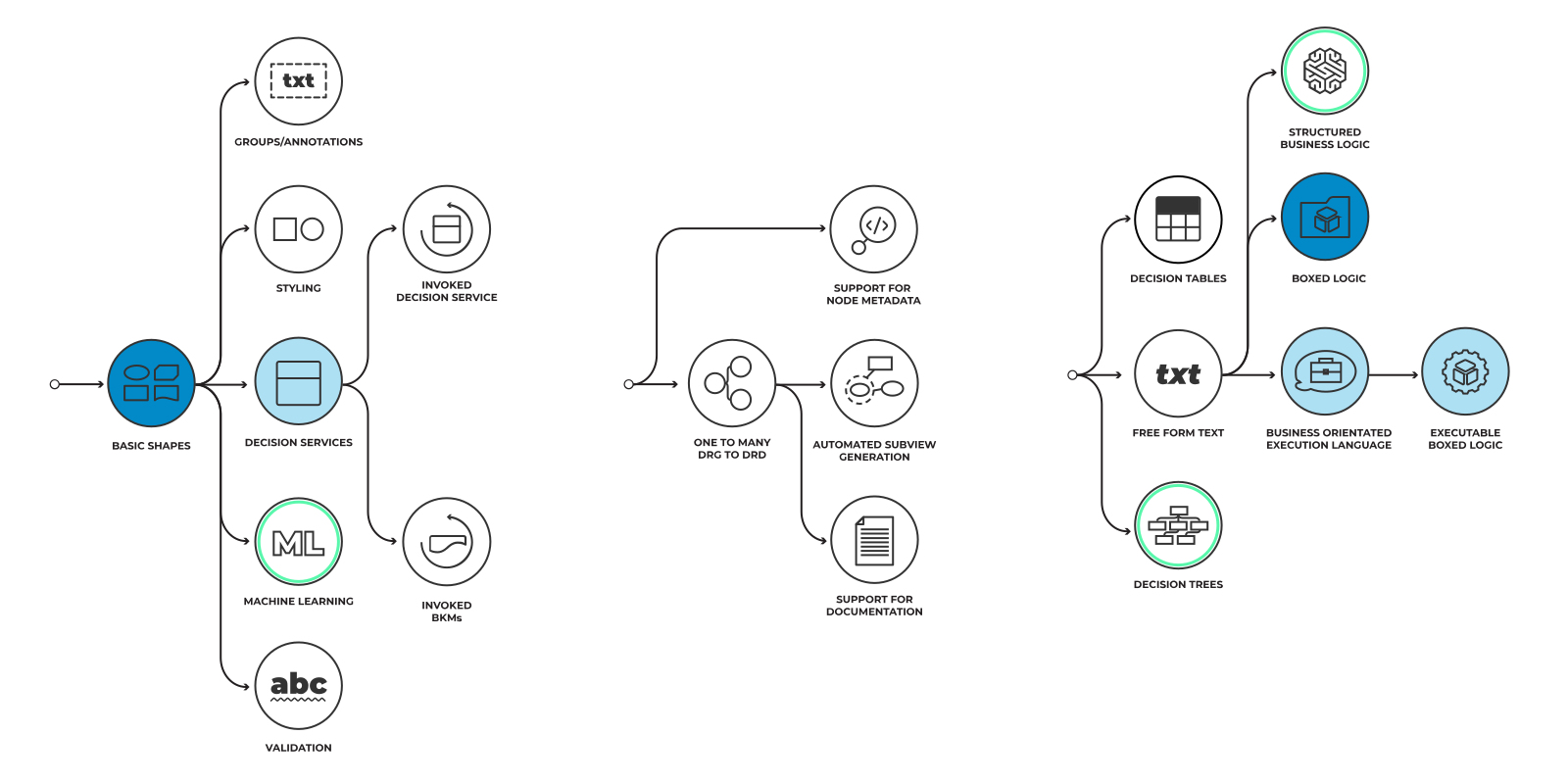
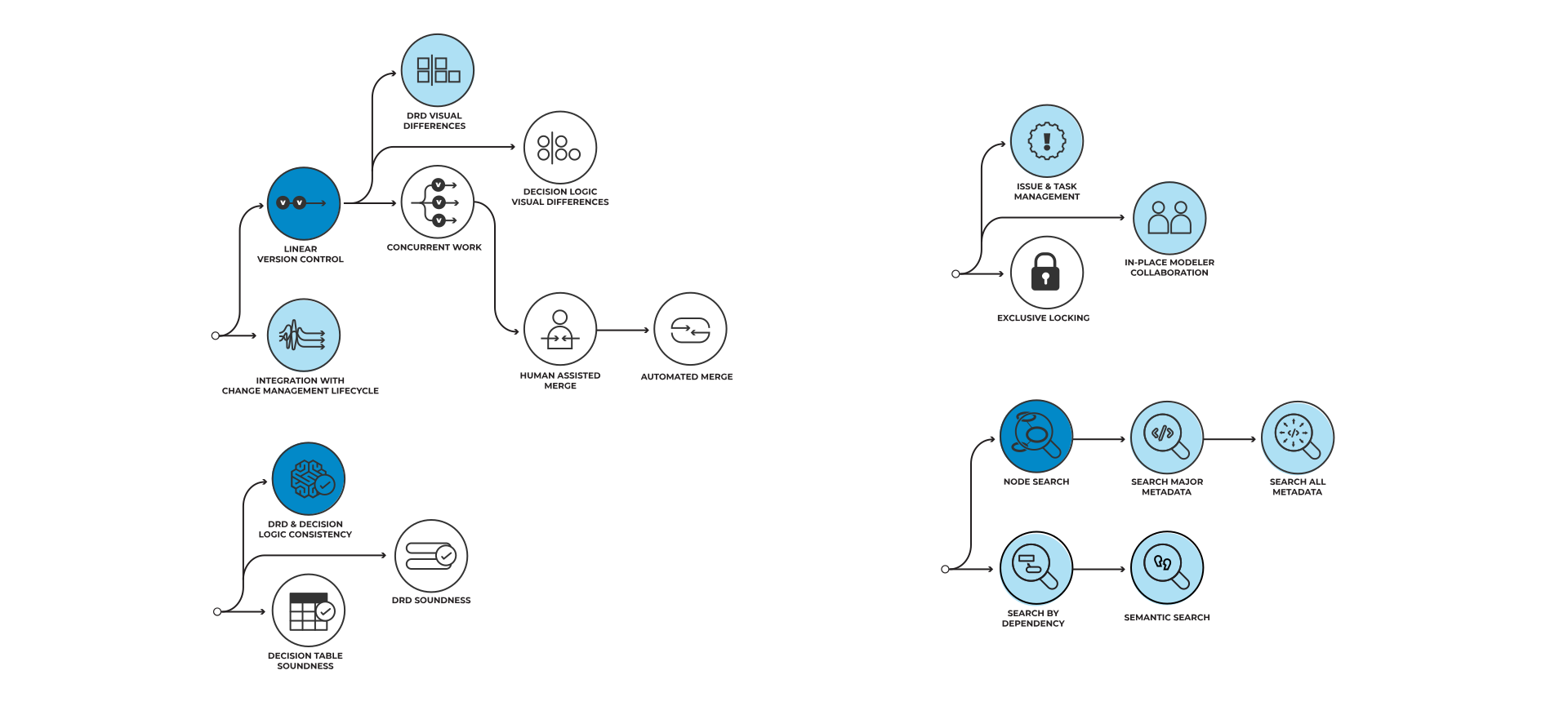
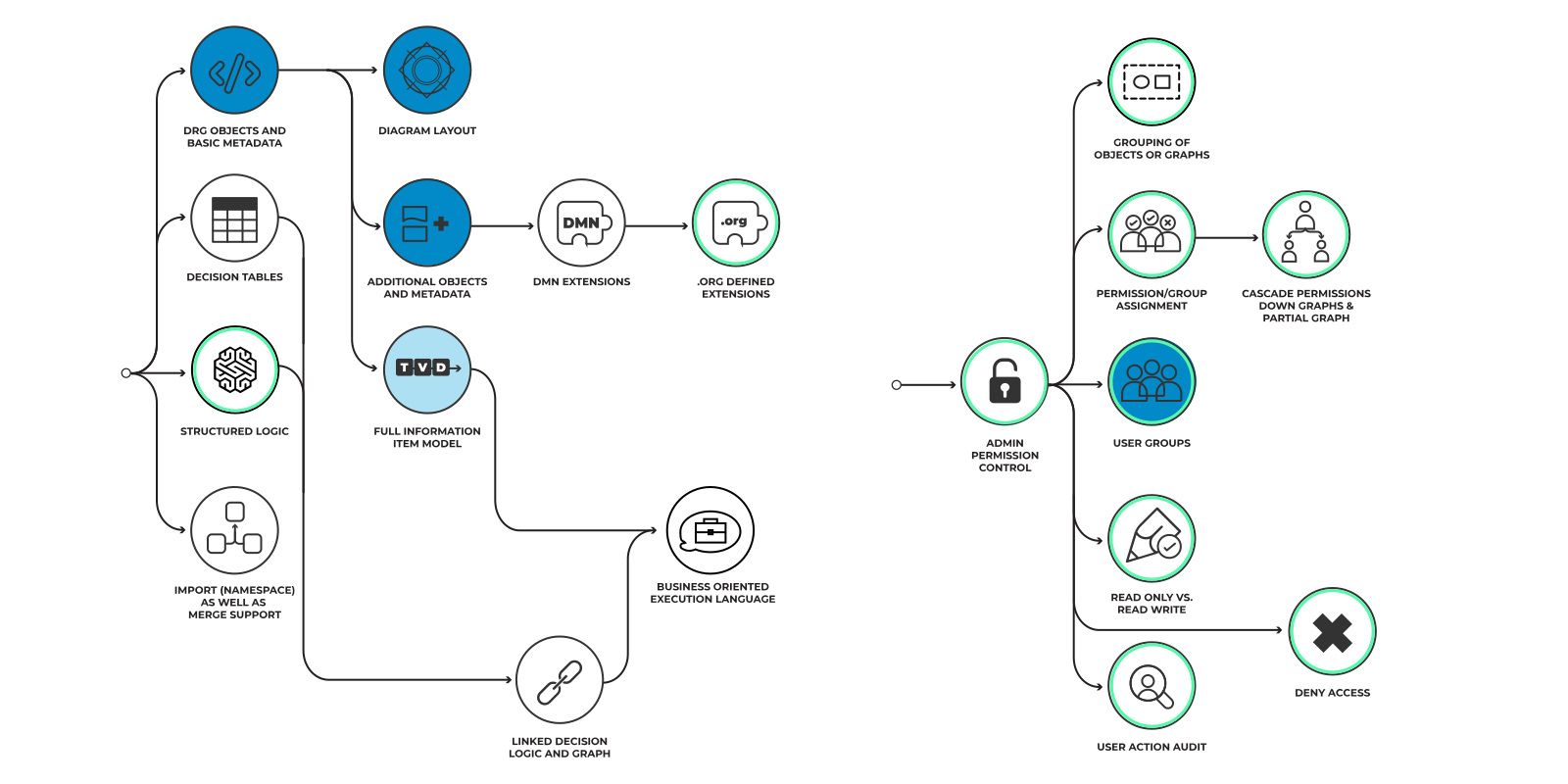
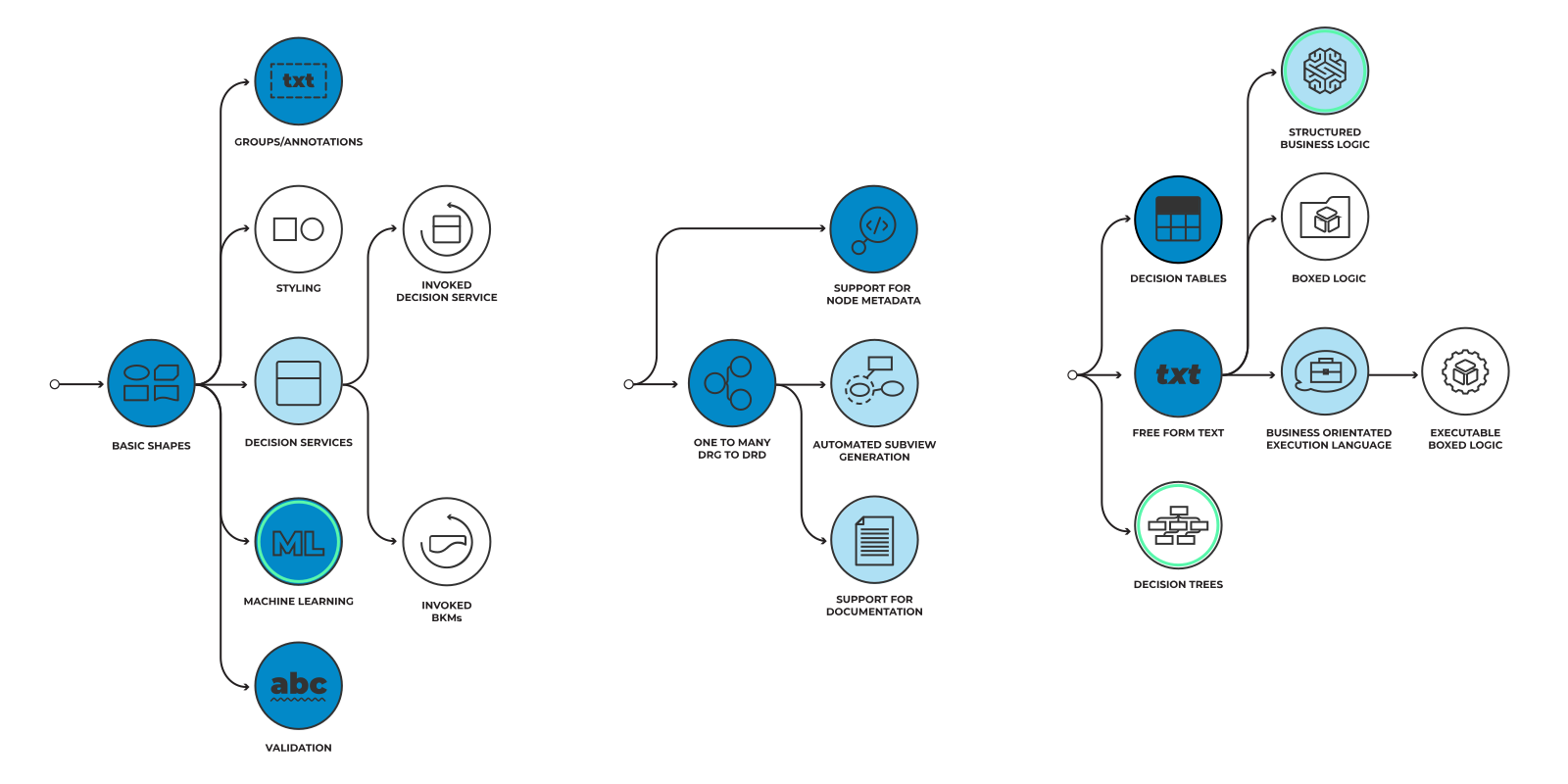
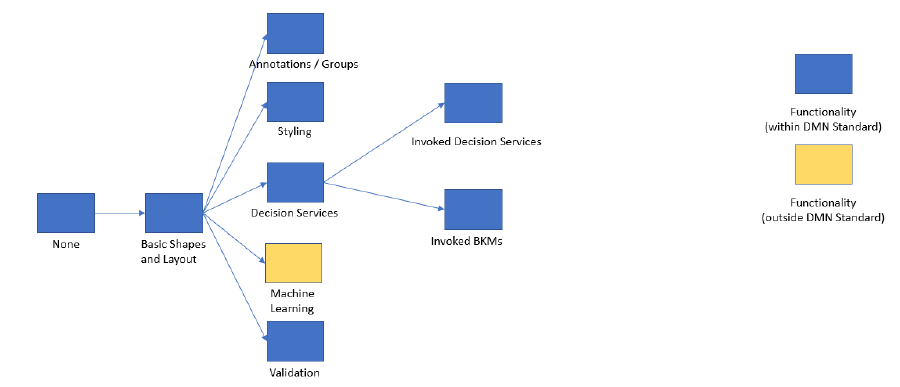
DRD Support
Support for drawing Decision Requirement Diagrams (DRDs) with integrity and validity. For example: the ability to support the main DRD shapes (Decision, Input Data and Knowledge Source) and their relationships (named requirements), the ability to validate a DRD, the ability to autoroute relationships.
This Dimension is largely visual. A tool may support DRDs without necessarily supporting a Decision Requirements Graph (DRG, see 02 Model Support).
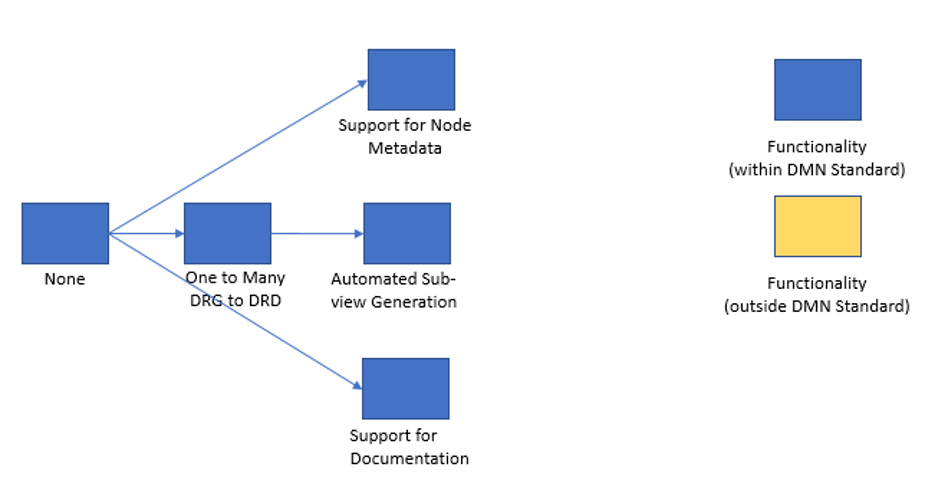
Model Support
DMN defines a Decision Requirements Graph, or DRG. The DRG provides a complete representation of the decision elements (decisions, input data, business knowledge models, etc.), and the links between them (called requirements).
DMN also defines Decision Requirements Diagrams, or DRDs. Each DRD provides a partial visualization, or subset, of the DRG. DRDs are used to focus on specific items of the decision model and may even overlap. When modelers use tools to model decisions they are creating and manipulating the DRG by editing one or more DRDs. DRDs should not, however, contradict each other, or contradict the DRG.
This Dimension covers the extent to which a product supports the DRG (in all its richness) versus merely providing a graphical DRD editor. Such a product may enable the ability to capture the metadata of decision models beyond a diagram, to enforce consistency between overlapping DRDs, to support automated generation of sub-graphs (e.g., nearest neighbors), to filter DRGs or DRDs, etc.
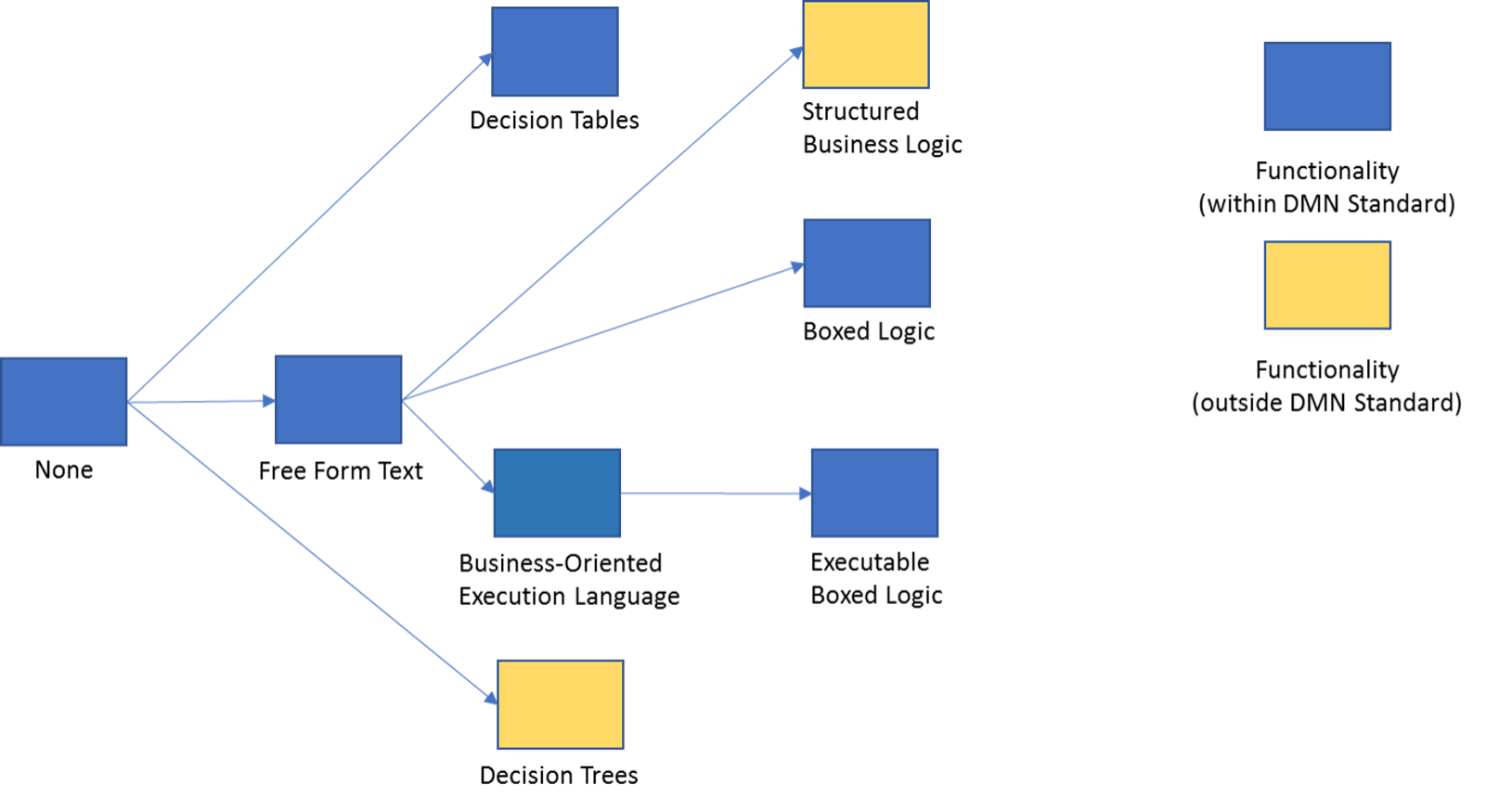
Decision Logic Support
The extent to which of a decision. This is expressed in two sub-Dimensions:
- Support for visual decision logic. For example: the expression of decision tables, trees, boxed contexts, boxed relations, boxed iterations and other visual representations of logic. Unlike many of the other Dimensions, the progression of these features is less of a linear development and involves more alternative paths.
- Support for textual decision logic. For example: simple literal expressions; nested, structured literal expressions; iterative expressions with contexts, qualifications and other declarative representations of textual logic.
It also requires support for information item data typing: simple types (integer, number, text), support for enumerations, support for collections and support for structured data types.
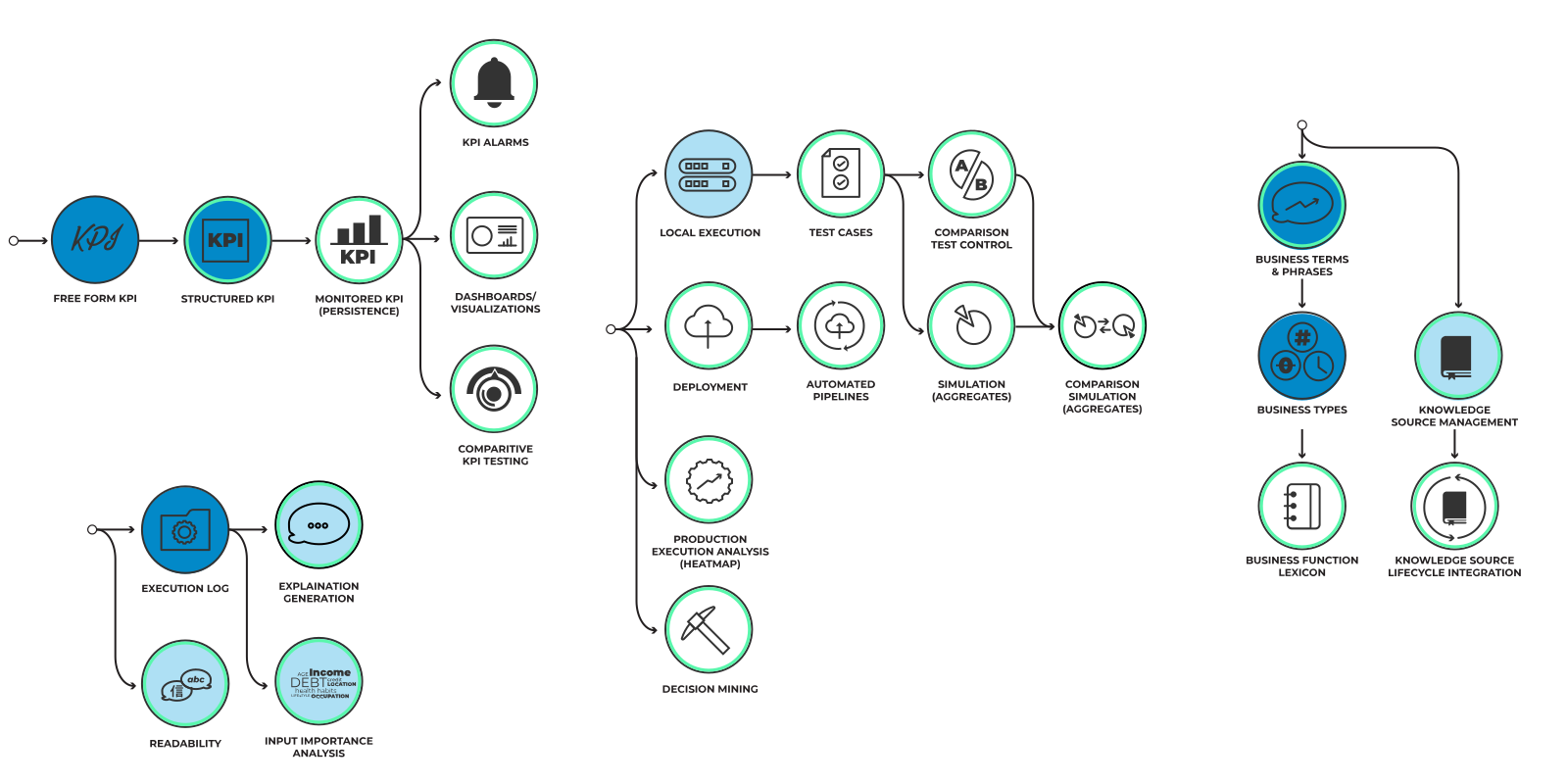
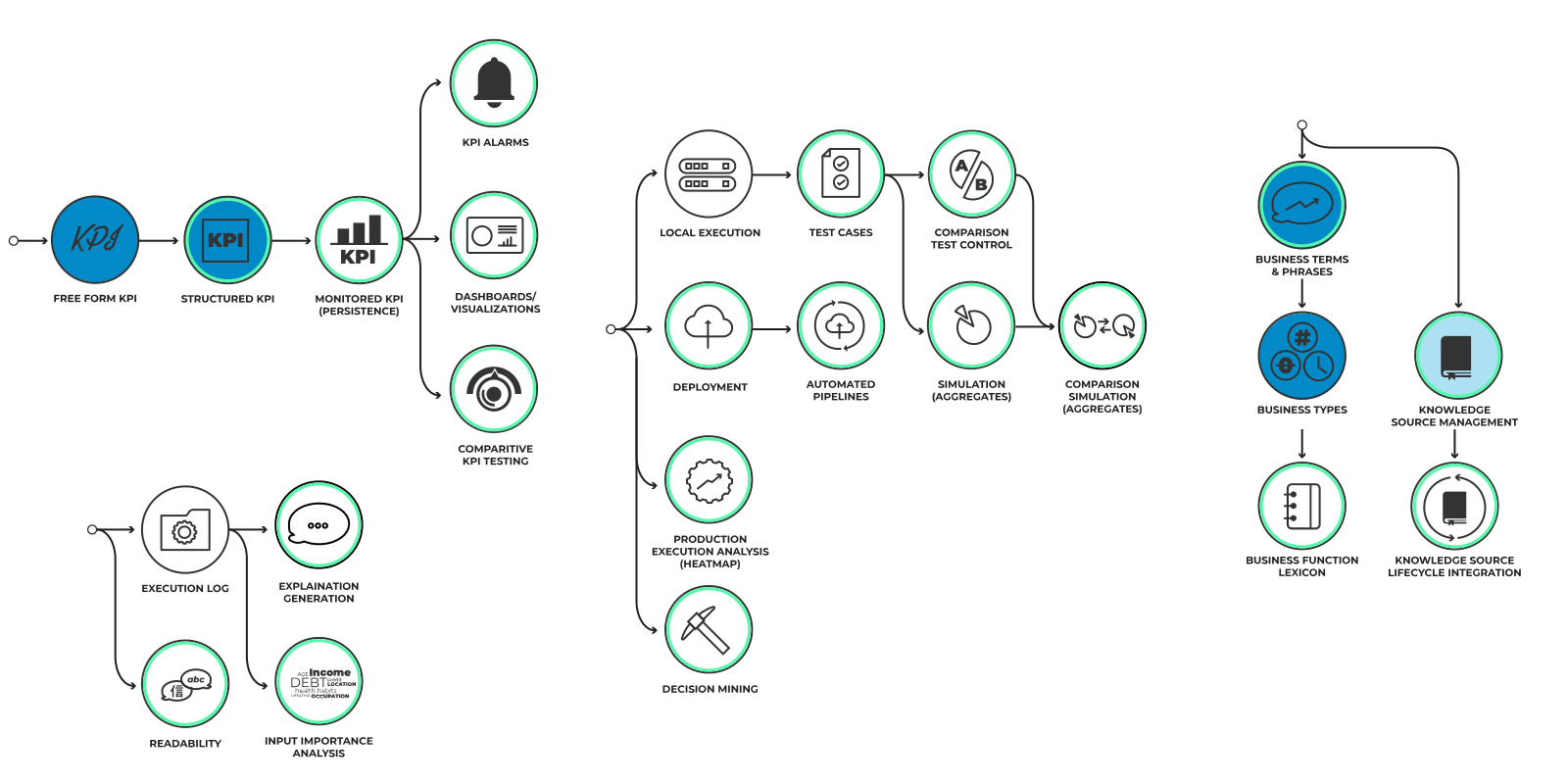
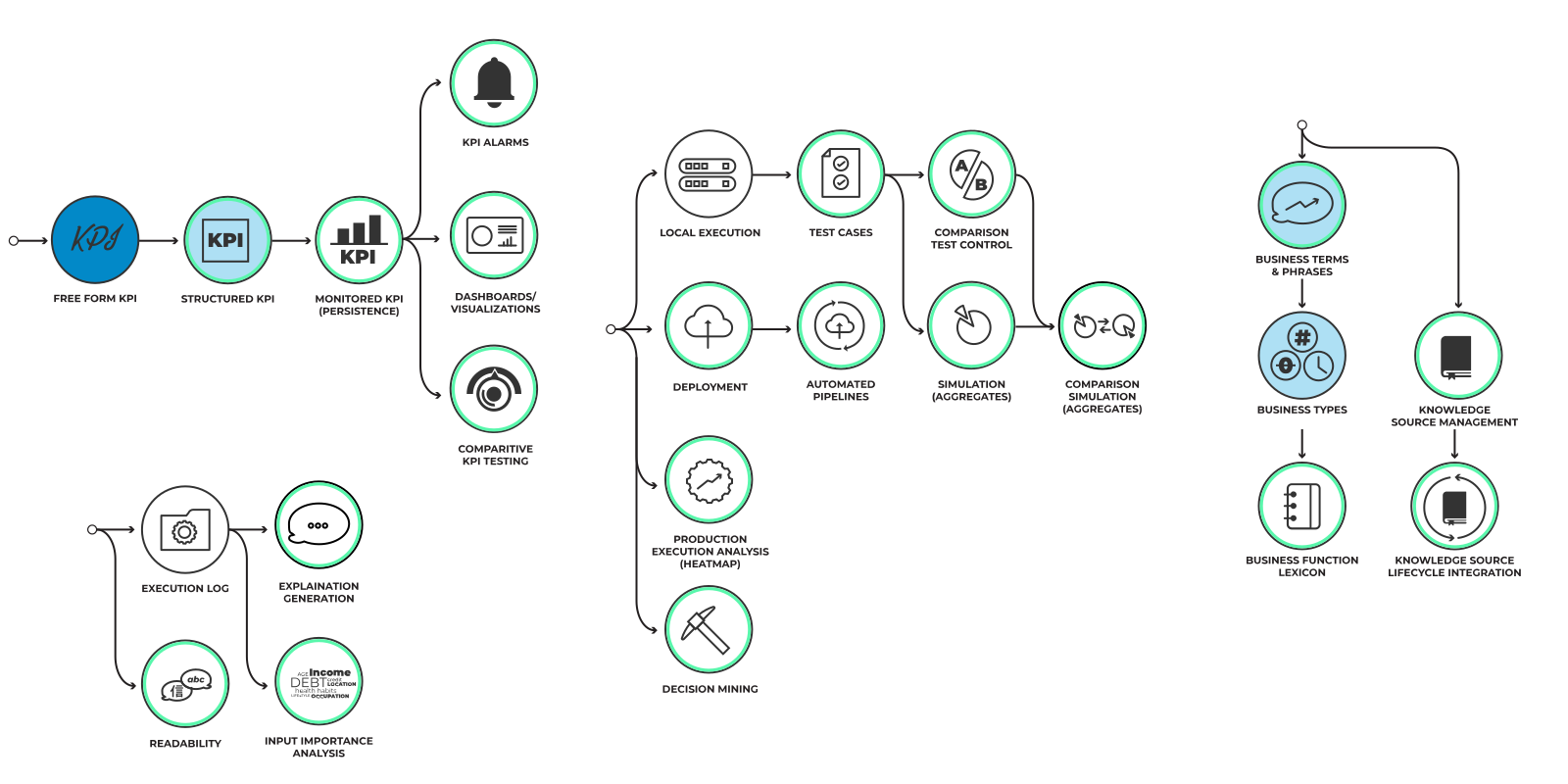
KPI
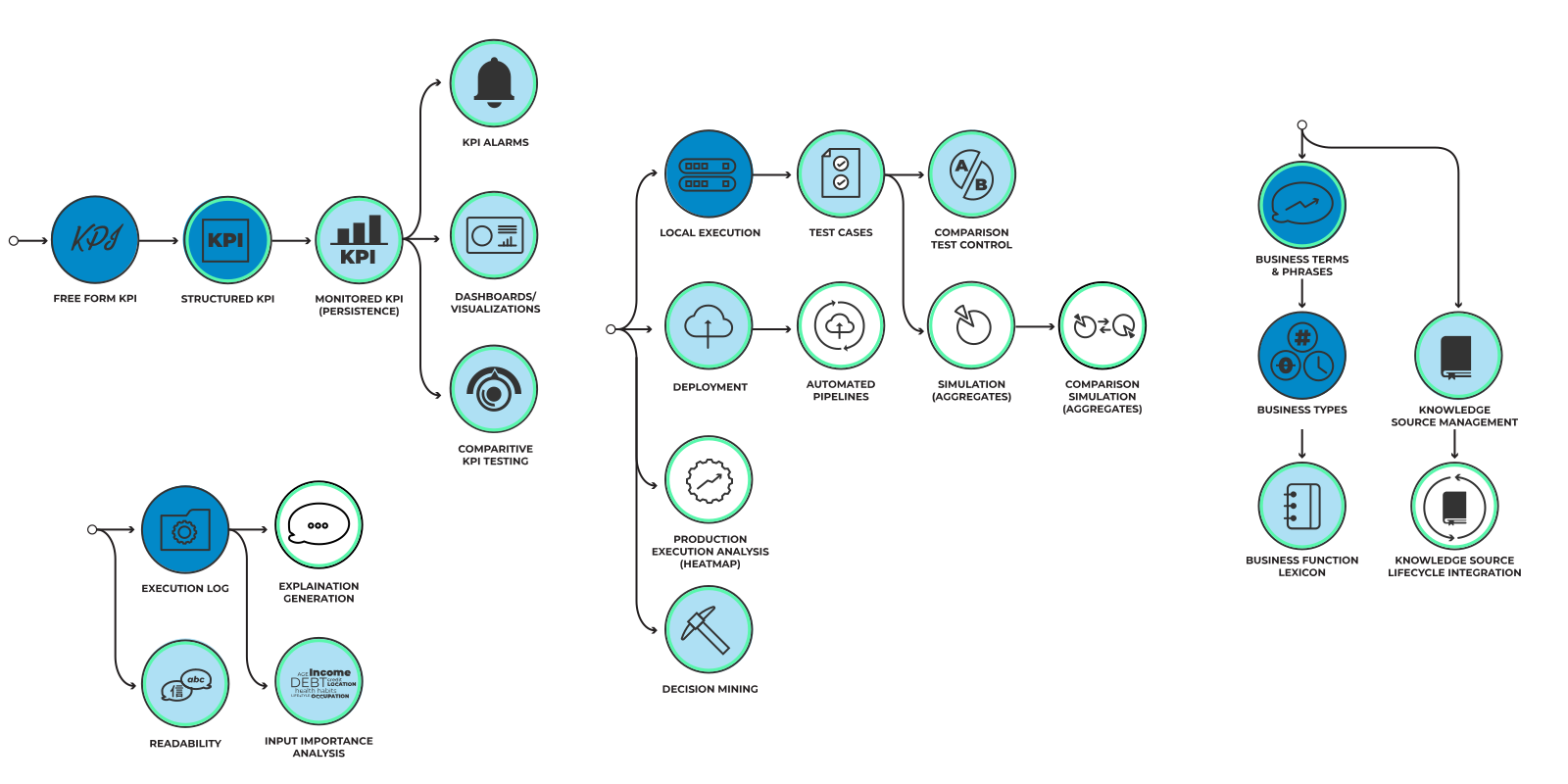
The extent to which a product supports the definition and use of key performance indicators (KPIs) on decisions.
Interpretability
Interpretability covers the extent to which a product supports the DRG (in all it’s richness) versus merely providing a graphical DRD editor. Such a product may enable the ability to capture the metadata of decision models beyond a diagram, to enforce consistency between overlapping DRDs, to support automated generation of sub-graphs (nearest neighbours) to filter DRGs or DRDs, etc.
Implementation
Support for decision implementation. For example: via connection with a Business Rule Management System (BRMS), by modeling executable decision services or using expression languages.
Term and Knowledge Management
Support for data models (business terminology or vocabulary) in which decision-making is expressed. This capability starts at the support for business terms and progresses to the definition of data structures and associated abstract data types. This includes the ability to support the concepts of term and function dictionaries. This capability may also include ability to support management of knowledge source links (e.g., to external documents).
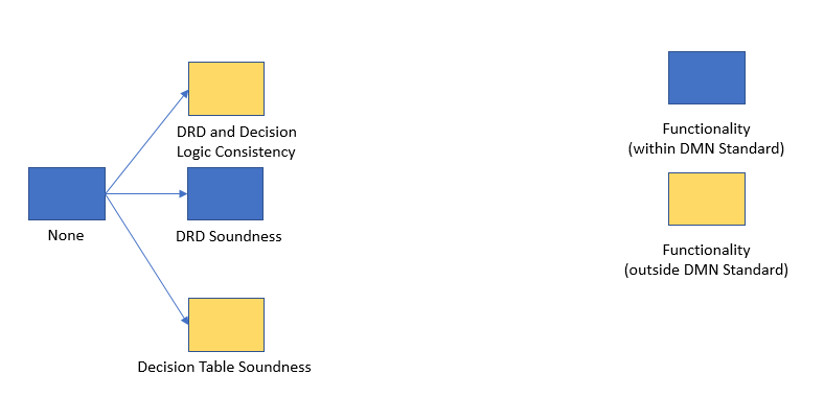
Validation and Verification
The product offers facilities to check or improve model soundness.
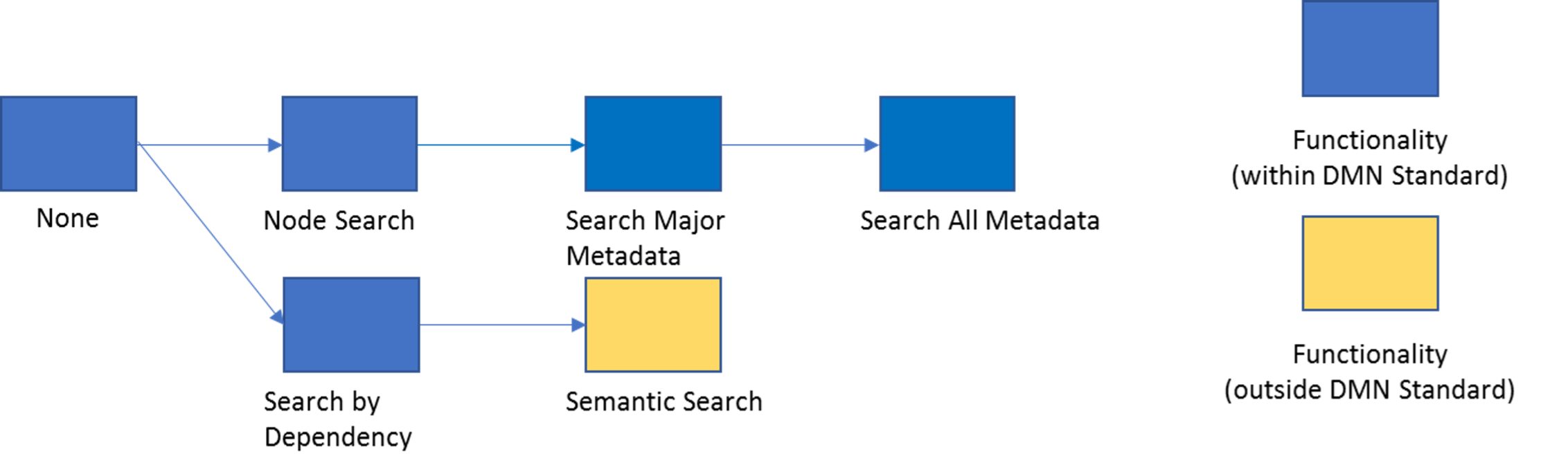
Search & Reporting
Functionality that enables users to locate and enumerate specific parts of their model.
Interoperability
The ability to interchange work products with other (DMN) tools. This Dimension includes the concepts of Graphic interoperability – to what extent can the graphical depiction of DRDs and decision tables be faithfully exchanged between this tool and another?
It also covers Model interoperability – how much of the Decision Requirements Graph and any metadata be faithfully exchanged between this tool and another?
Each milestone in this Dimension is measured twice: once for input and again for output.
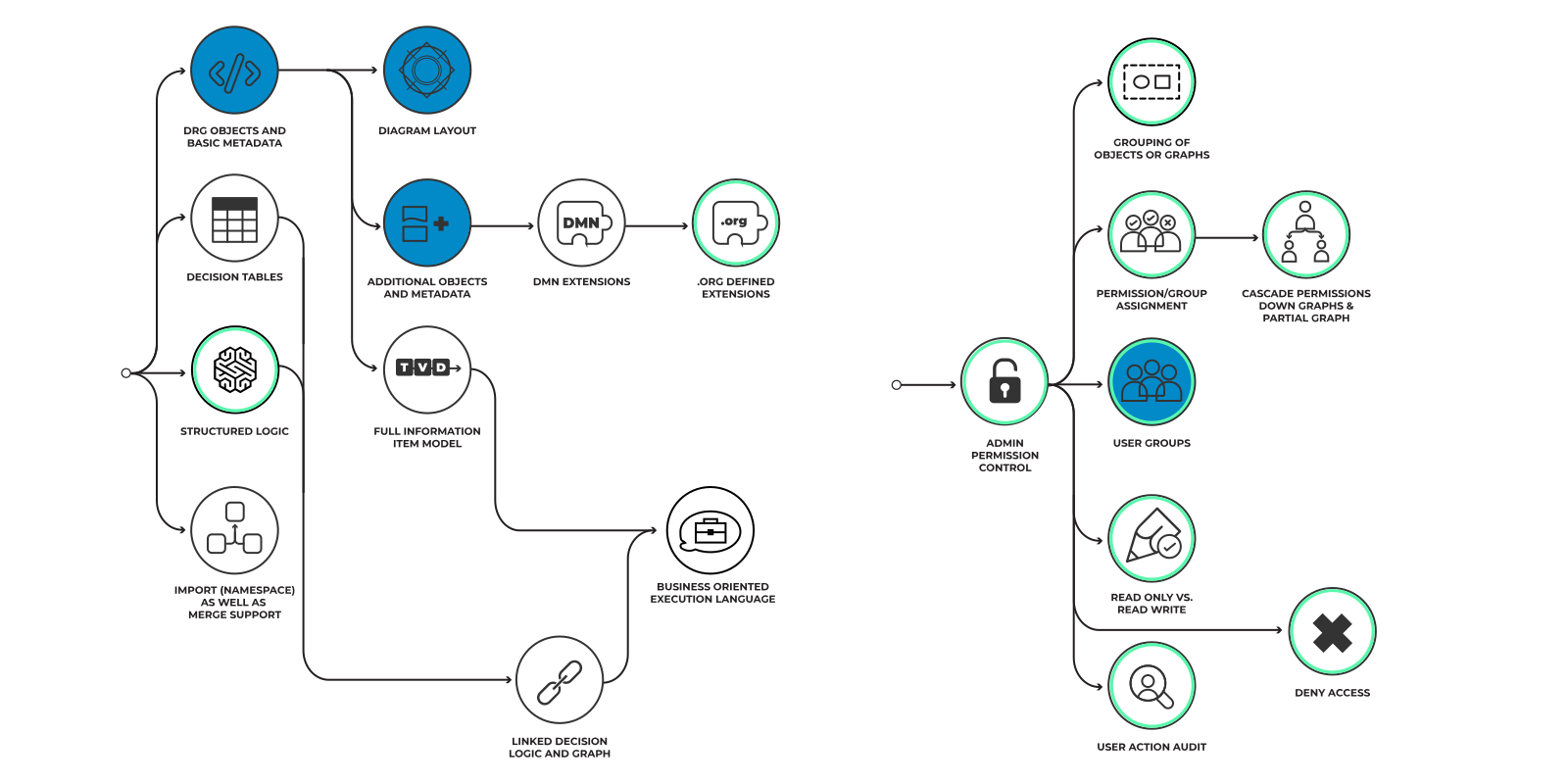
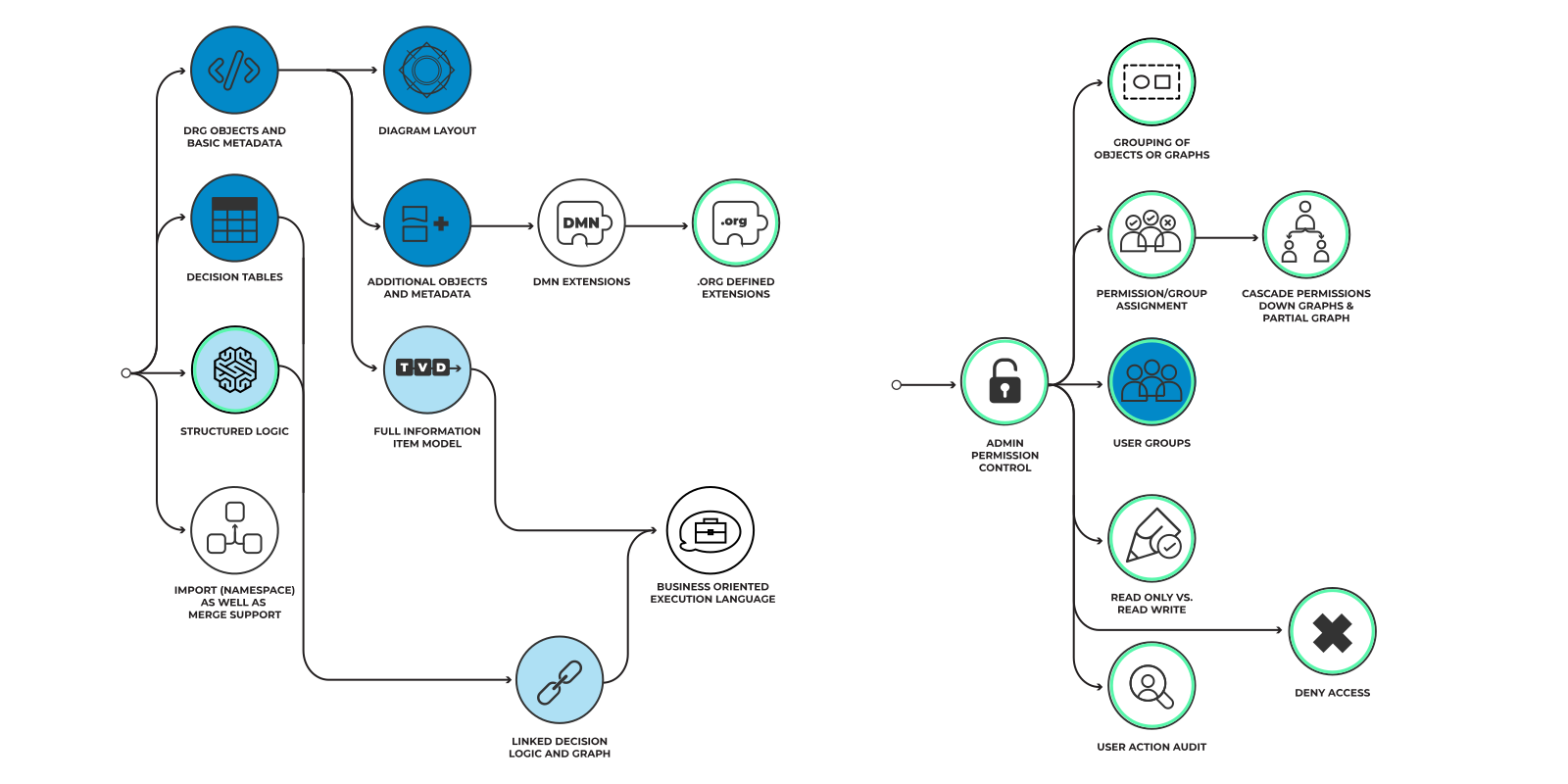
Security
The ability to map descriptors to users which administrators can then use to control access to decision models.

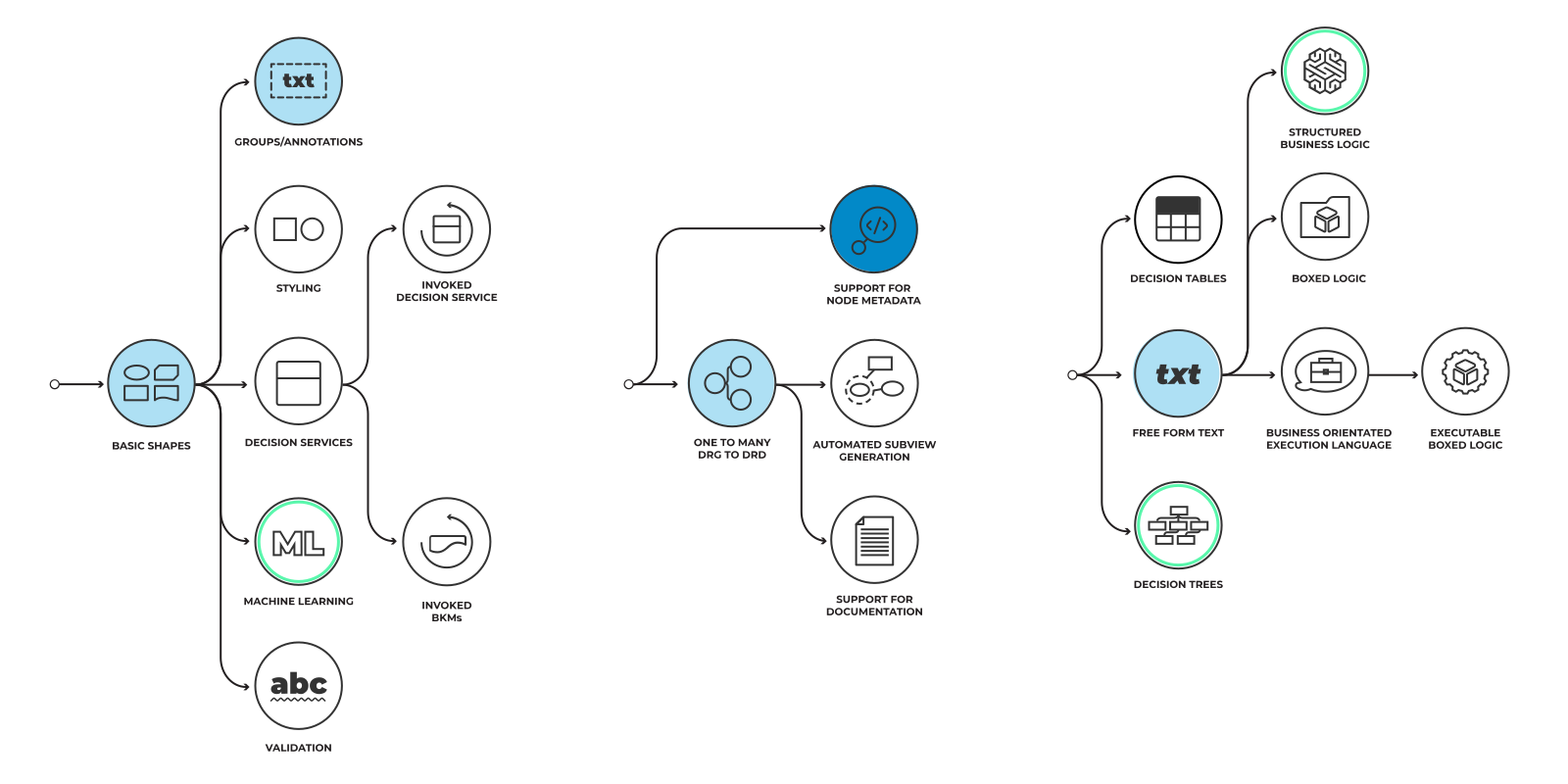
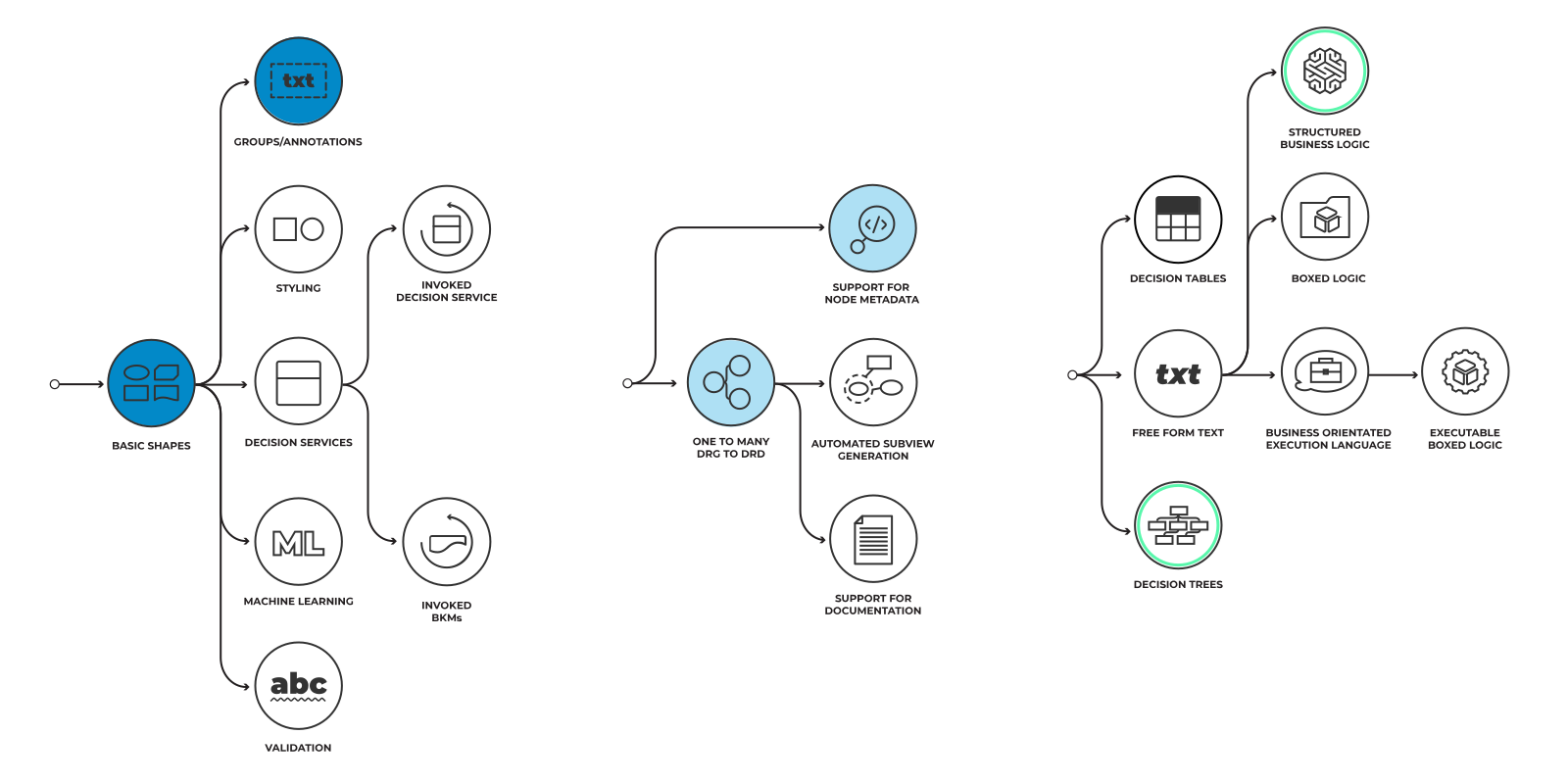
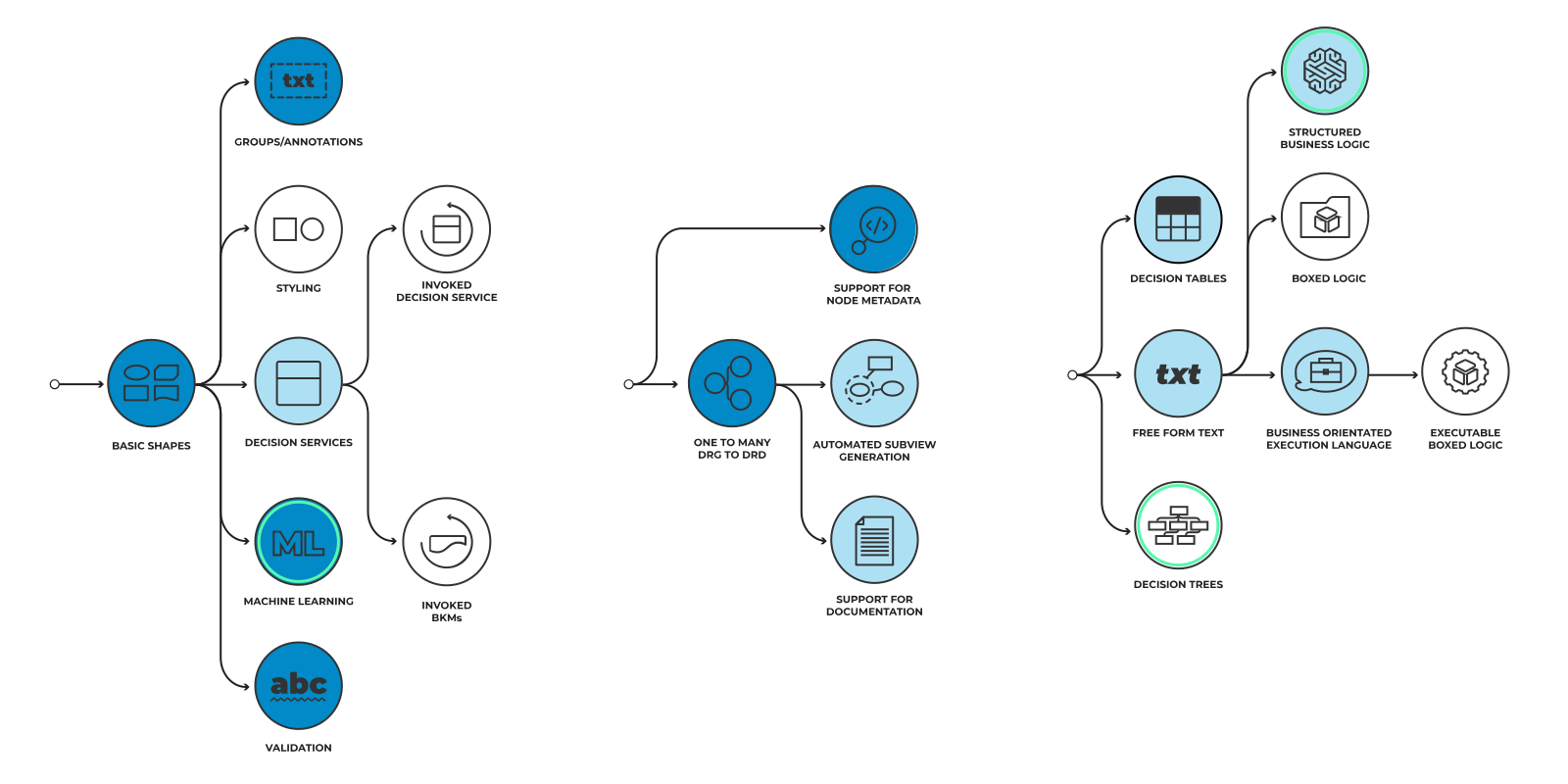
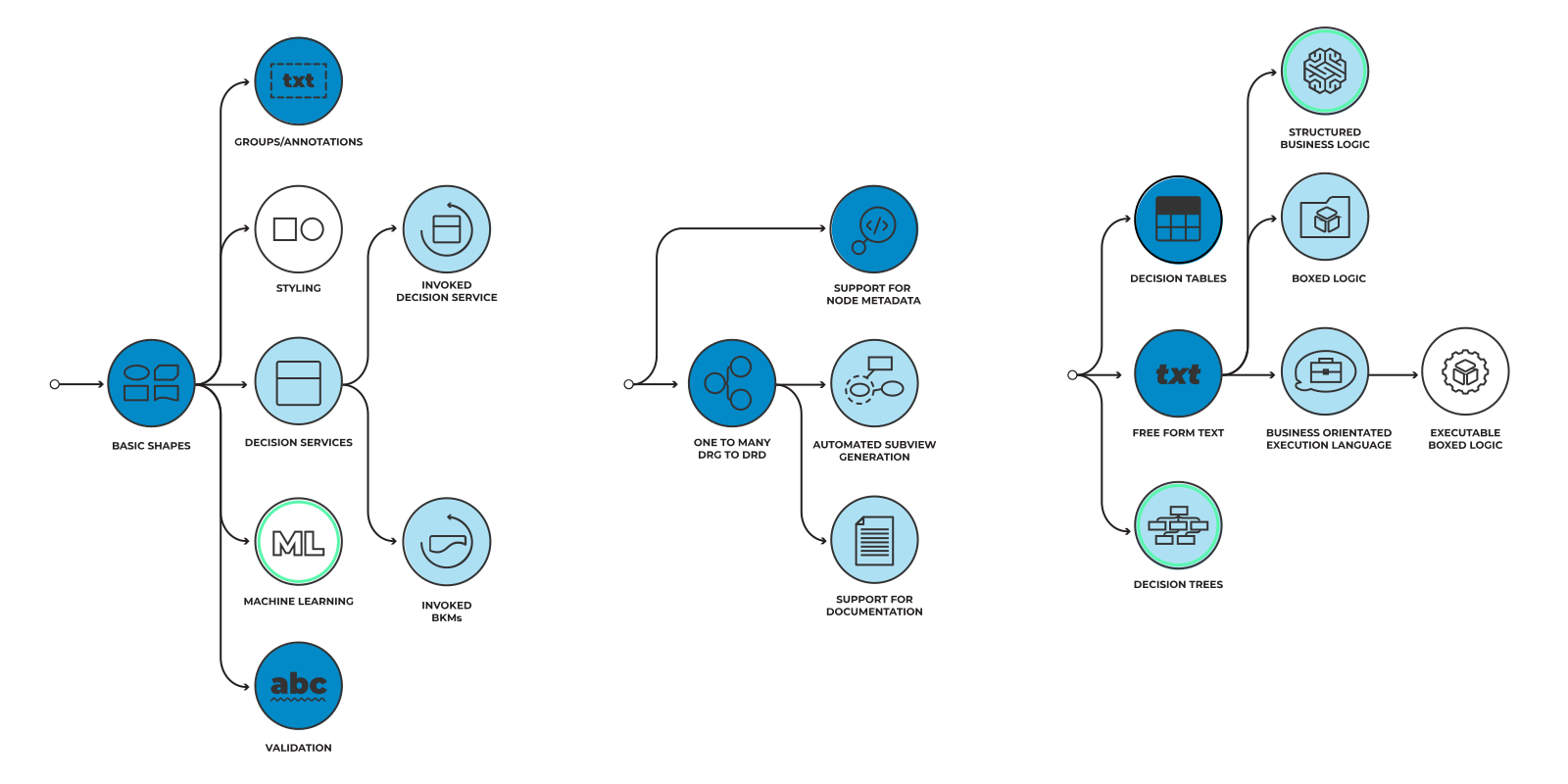
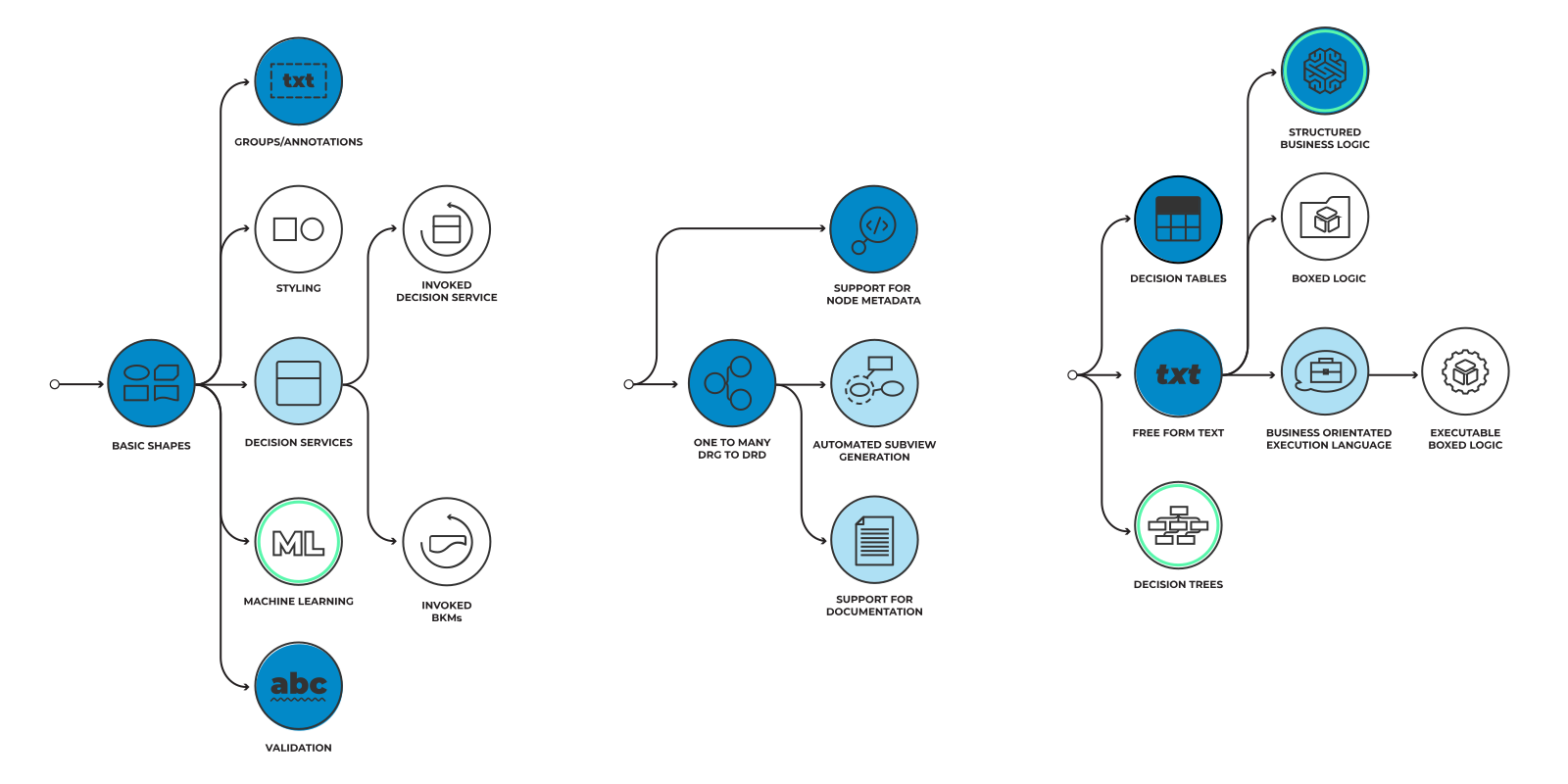
Basic Shapes and Layout
Support for simple Decision Requirement Diagrams ...
Click to read more
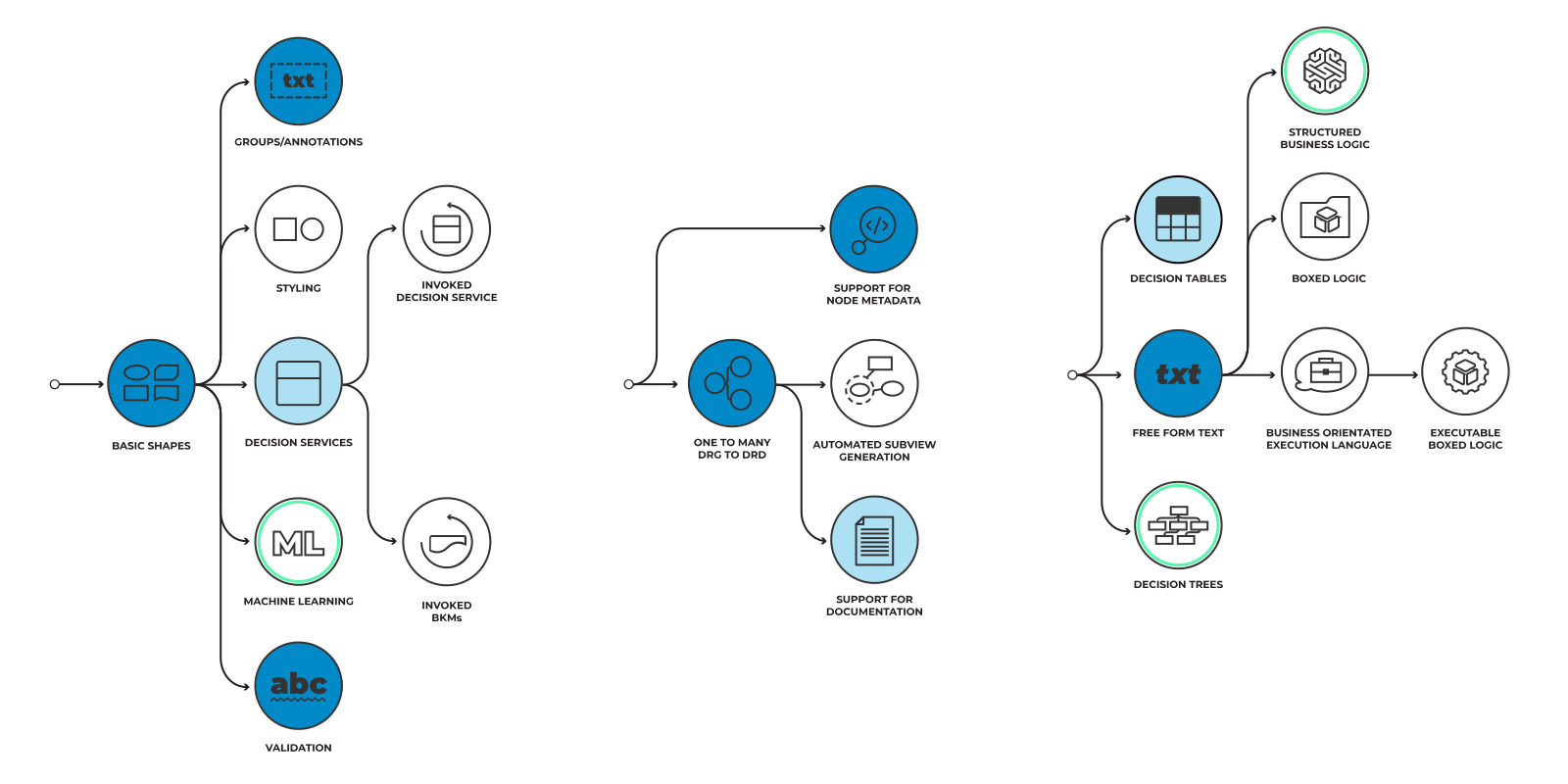
Support for simple Decision Requirement Diagrams which depict Decisions, Input Data and Knowledge Source elements, linked by Information and Authority Requirements. Each element and requirement shape must conform to the DMN specification.

Groups & Annotations
Support for groups (dotted rectangles that ...
Click to read more
Support for groups (dotted rectangles that encompass one or more shapes) is provided. In addition, the ability to add textual annotations both free-standing or associated with specific groups or elements.

One-To-Many DRG To DRD
The product supports a single DRG ...
Click to read more
The product supports a single DRG (per model) to which one or more, potentially overlapping, DRDs relate. The DRG holds node metadata and the totality of their interrelationships. If two DRDs contain a node of the same name it is understood that these are references to the same underlying object (or the tool supports this possibility).

Support For Node Metadata
Each node in a DRG can have relevant metadata ...
Click to read more
Each node in a DRG can have relevant metadata attached to it, both the metadata defined by the standard (e.g., Business Owner, Questions and Answers) and custom metadata defined by users. This metadata is accessible from DRDs referencing the node.

Free Form Text
The ability to define decision logic with ...
Click to read more
The ability to define decision logic with free form (non-executable) natural language or pseudo-language or examples.

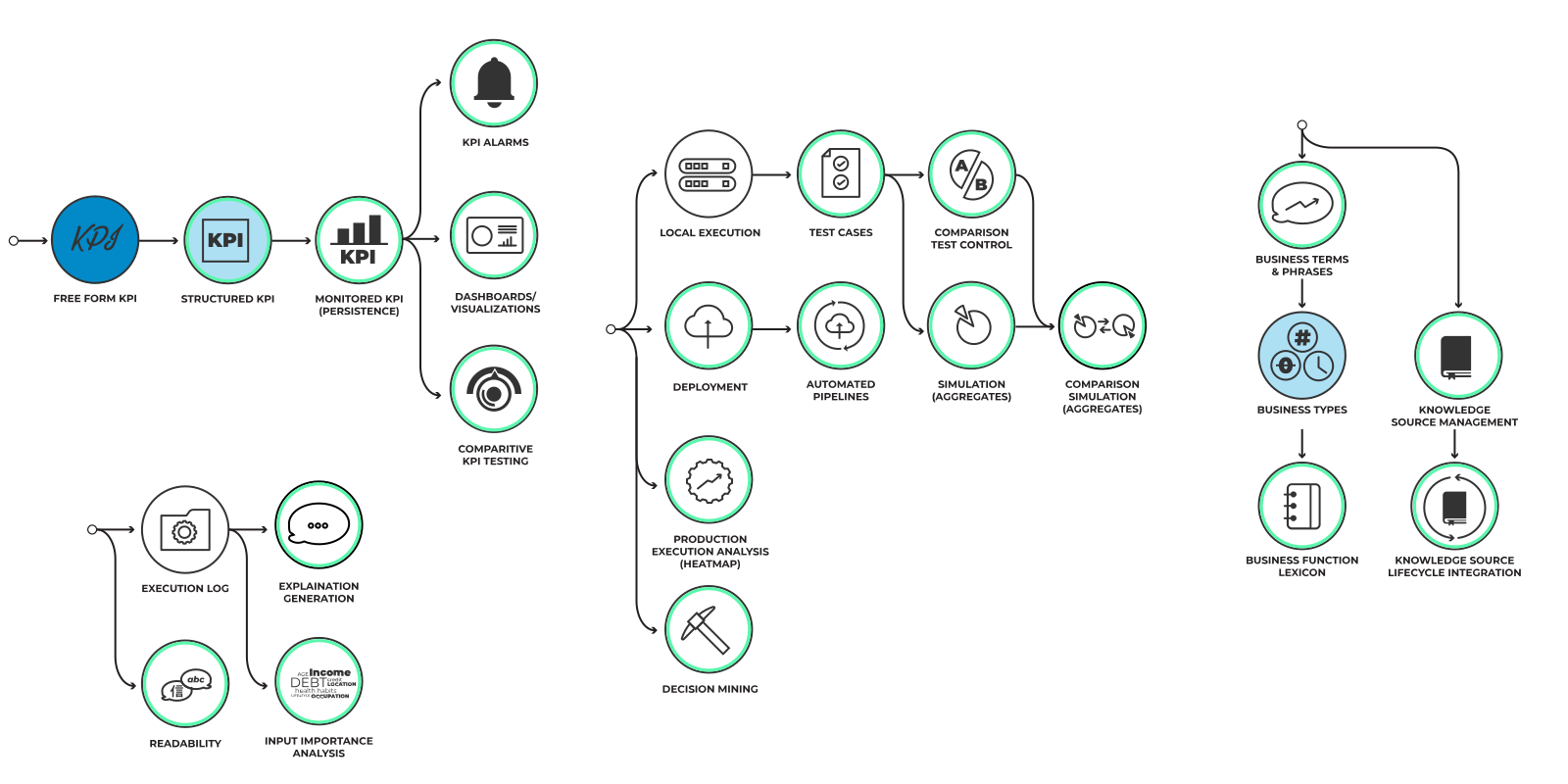
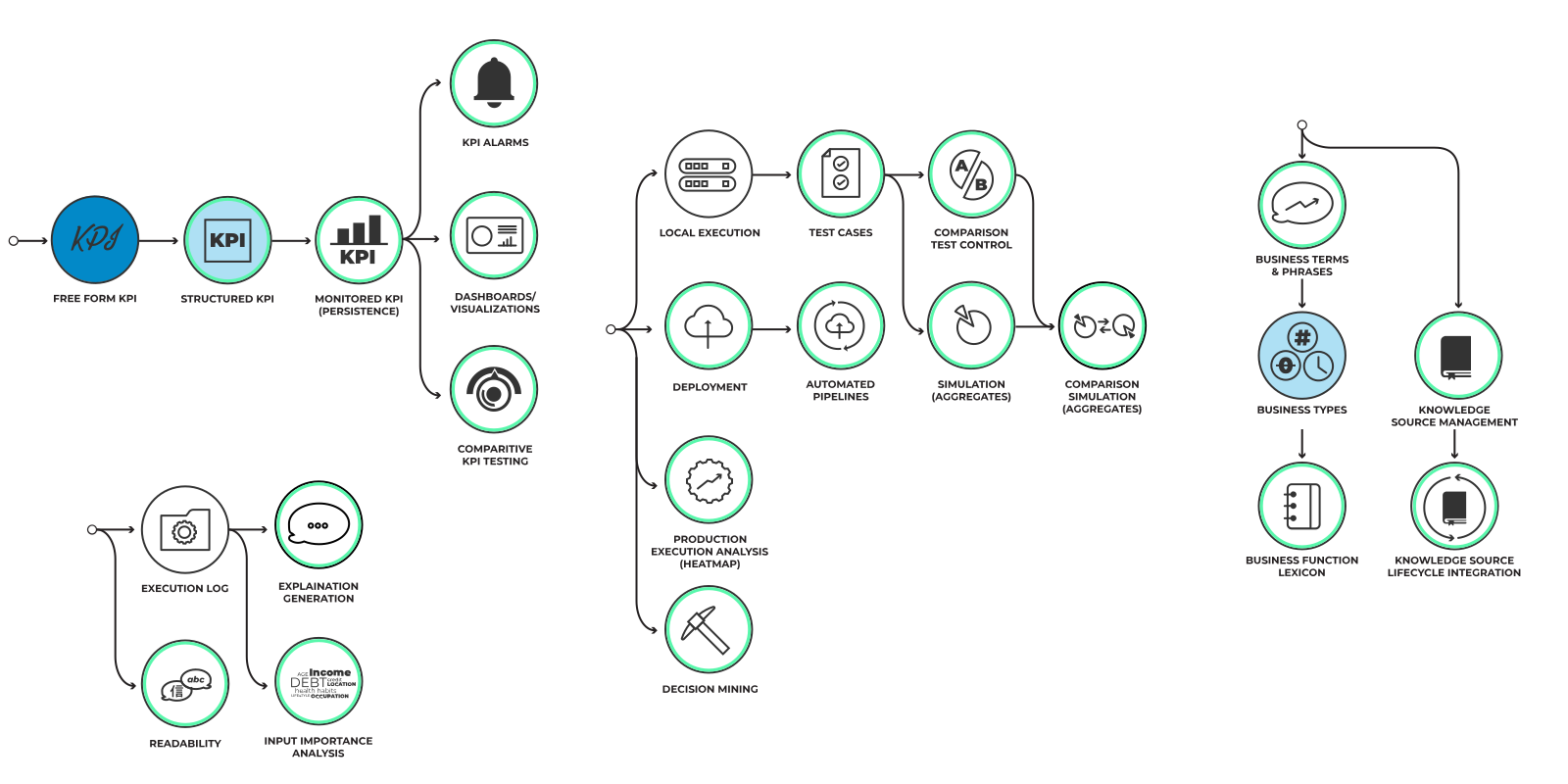
Free Form KPI
The ability to associate decisions with ...
Click to read more
The ability to associate decisions with business value metrics (e.g., profitability, reduction in client churn, security, failure rate). At this level the KPIs are unregulated and exist for the sole purpose of documentation of business value.

Structured KPI
KPIs are defined using a (extendable) set ...
Click to read more
KPIs are defined using a (extendable) set of quantities (e.g., MTBF, client retention, profit) with a strongly typed goal (e.g., percentages, amounts of money, failure rate) and time frame. In other words, they are valid SMART (Specific, Measurable, Achievable, Relevant, Time-bound) goals. These are still for documentation purposes although external tools could utilize this metadata.

Business Types
The ability to define a set of data types ...
Click to read more
The ability to define a set of data types that support a specific business purpose. For example, a cash-flow ladder, a medical risk or an applicant.

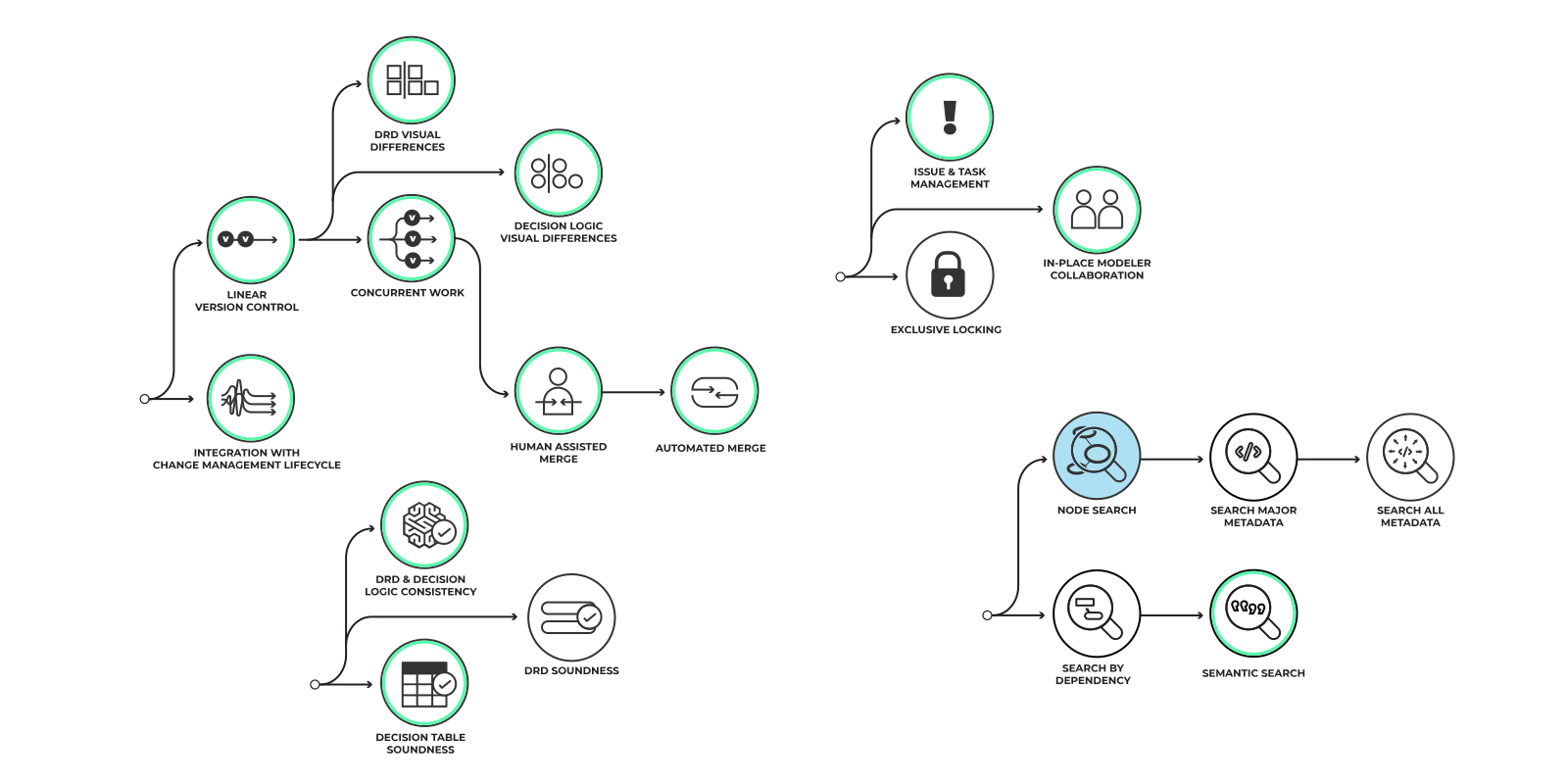
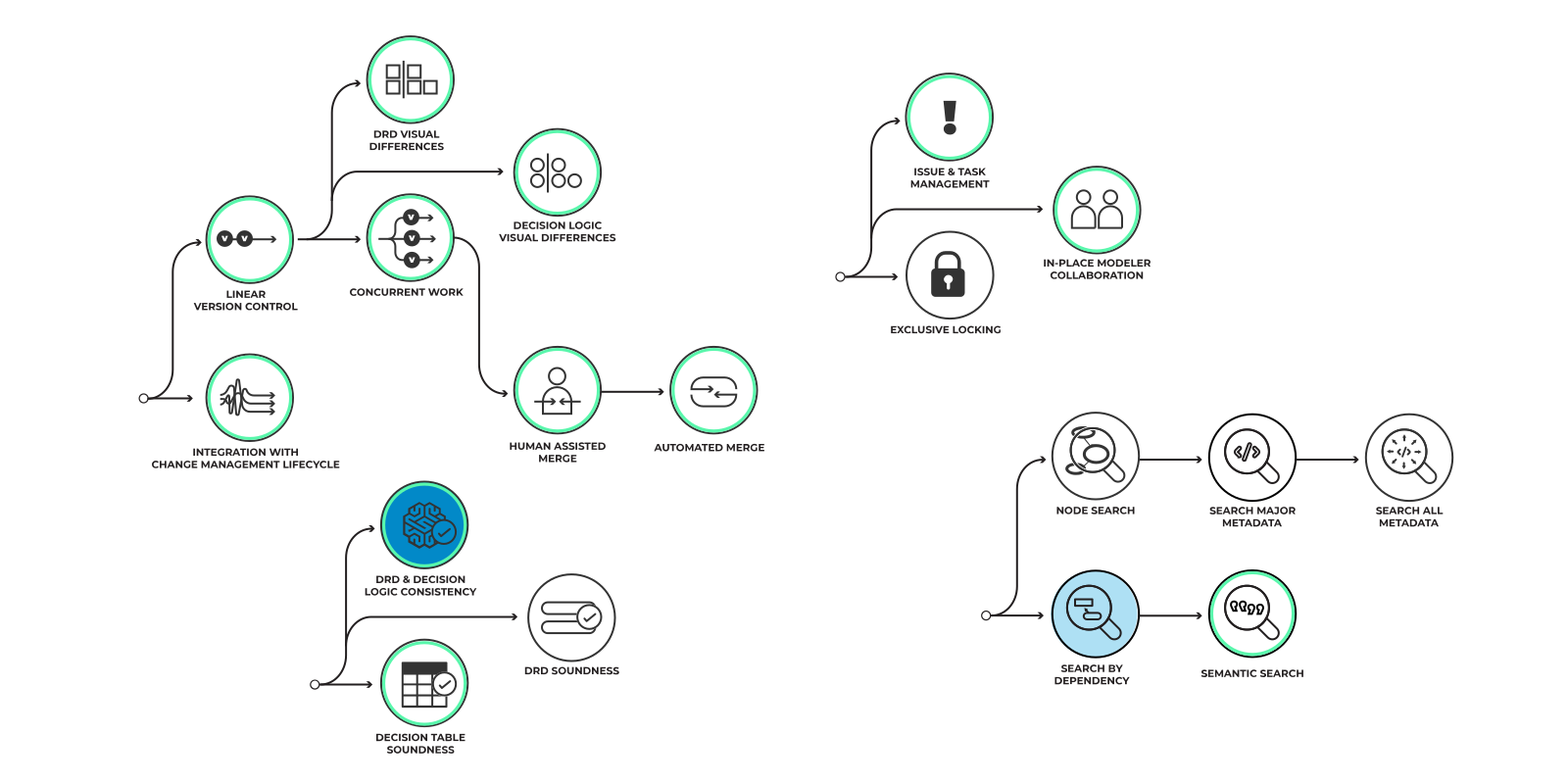
DRD & Decision Logic Consistency
Ensure that the DRD and decision ...
Click to read more
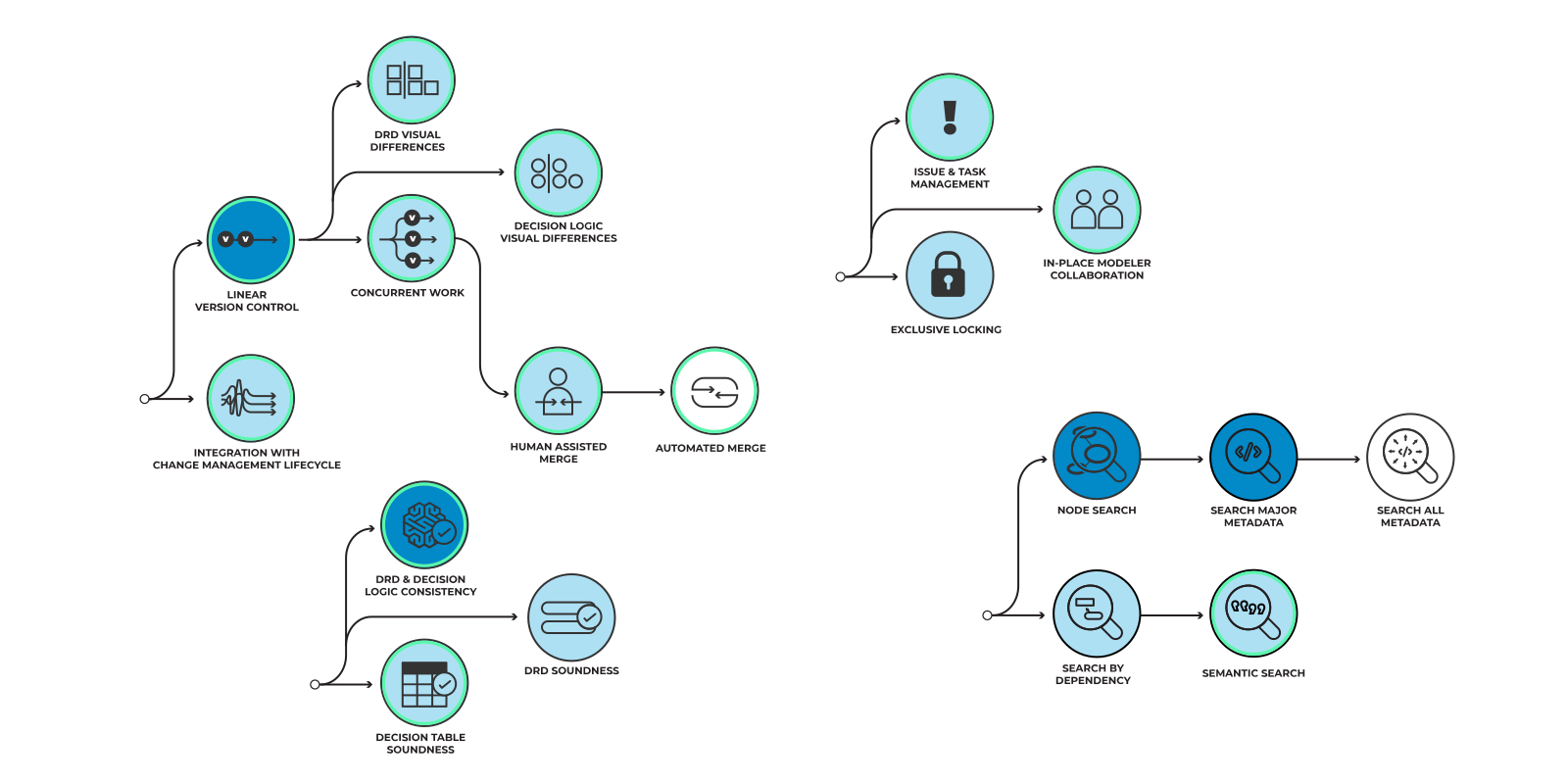
Ensure that the DRD and decision logic have consistent connection semantics.
Missing dependencies: The product can inform users if their DRD is inconsistent with the needs of their logic (e.g., the logic definition has an unsatisfied dependency).
Unused dependencies: The product can prevent dangerous practices such as 'push-'through' dependencies (i.e., information items passed into a decision, A, with the sole aim of passing them to decisions which have an information dependency on A rather than using them itself).

Node Search
The ability to search for all the diagrams ...
Click to read more
The ability to search for all the diagrams using a specific node by node name. Both interactive search and a list of search results (a report) is covered by this Dimension.

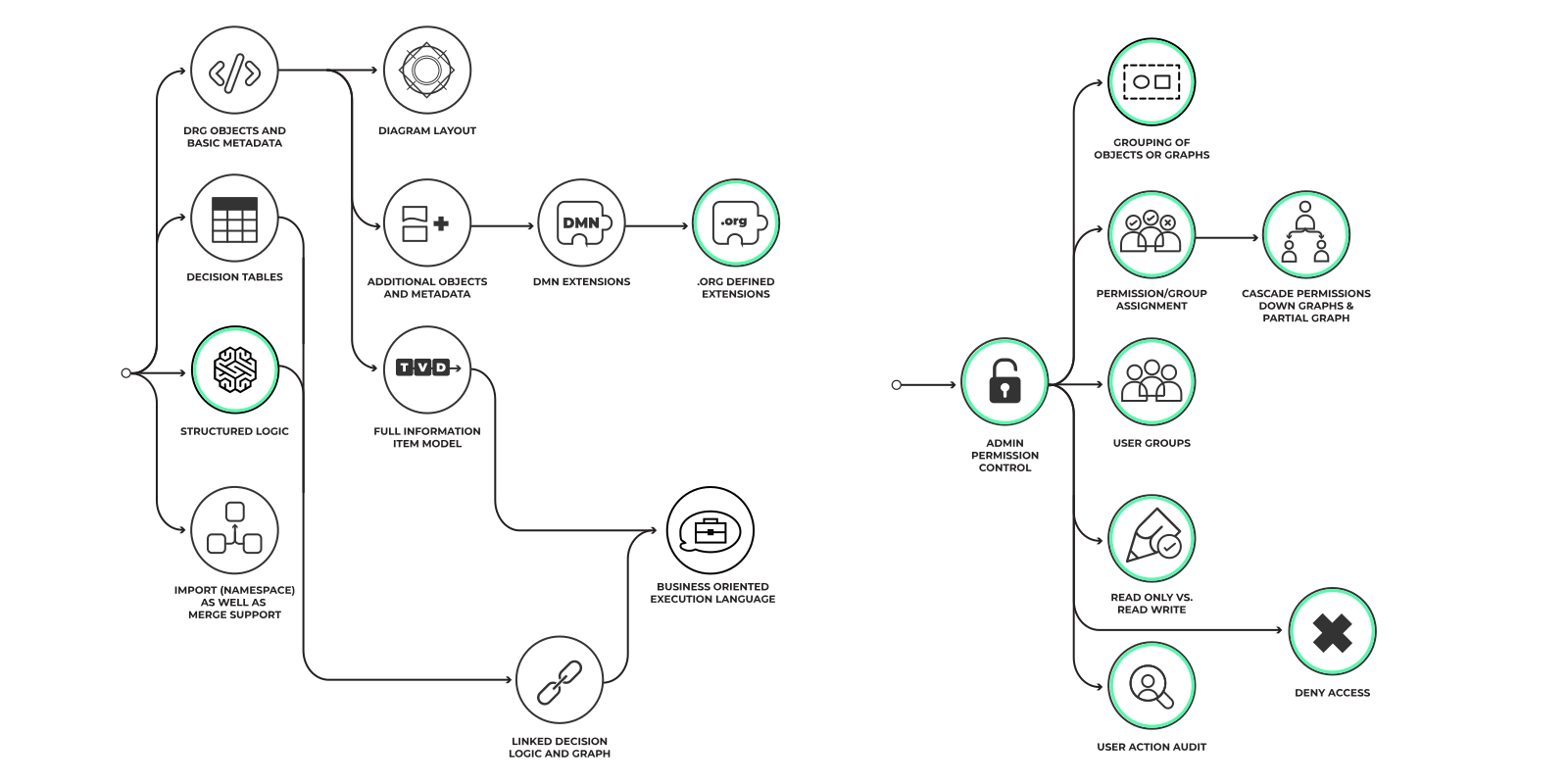
Executable Boxed Logic
The ability to use an execution ...
Click to read more
The ability to use an execution language in a boxed context.

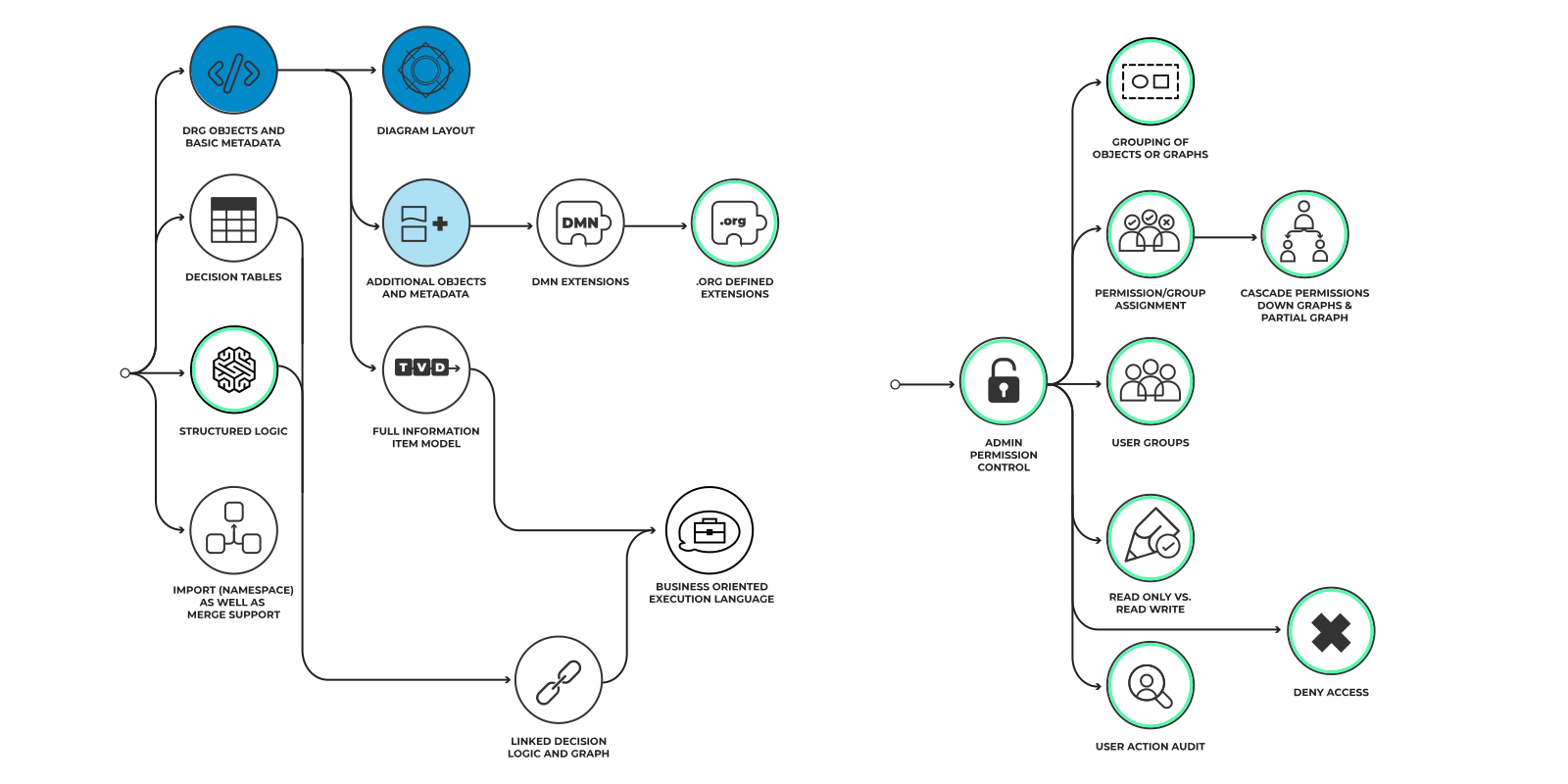
DRG Objects & Basic Metadata
The ability to interchange the core DMN ...
Click to read more
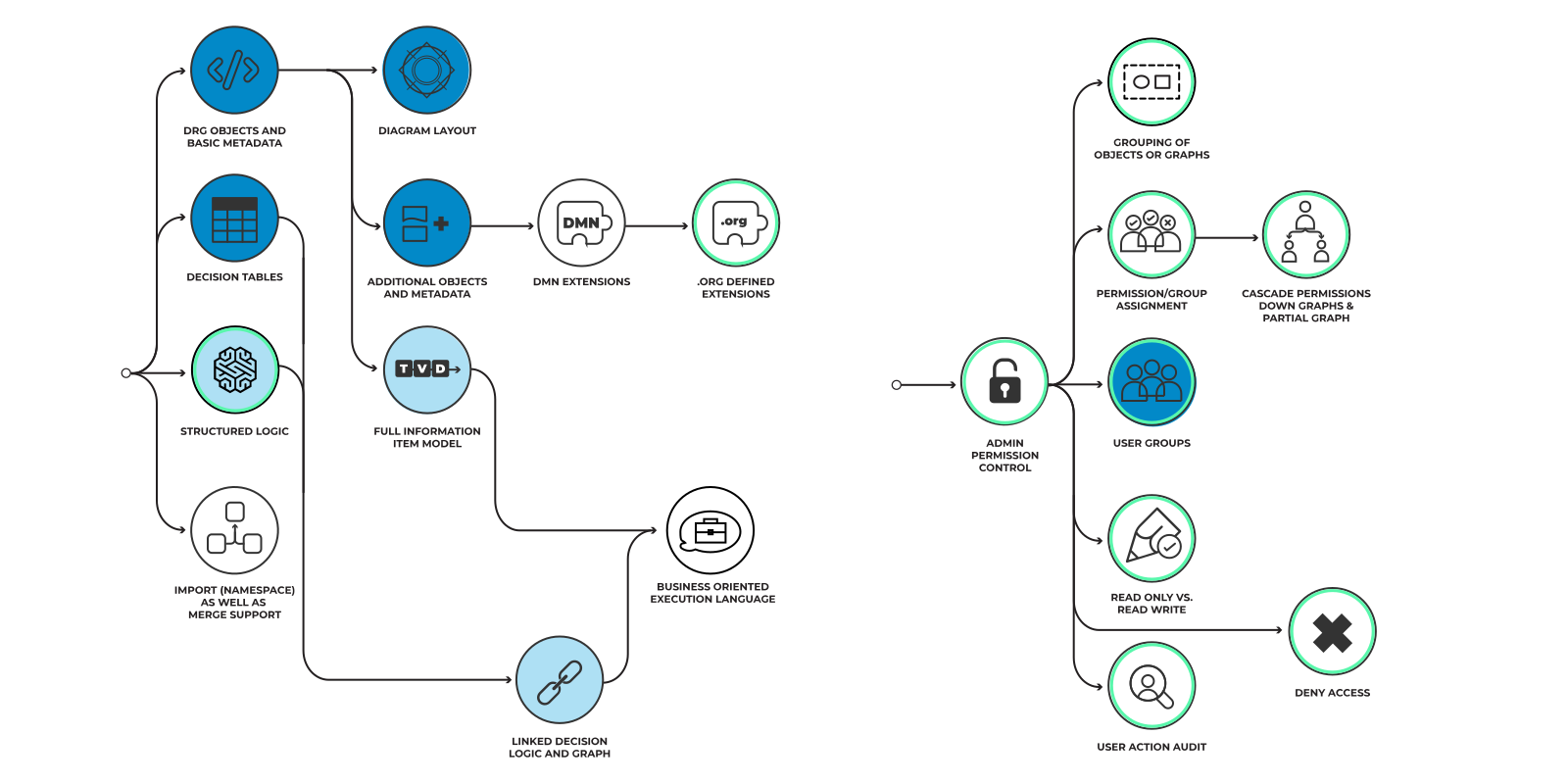
The ability to interchange the core DMN elements: Decision, Input Data and Knowledge Source. In addition, the ability to interchange other supported nodes, for example BKMs. The metadata includes owner, questions and allowed answers and KPIs (if supported).

Diagram Layout
The relative placement of all nodes ...
Click to read more
The relative placement of all nodes in the diagram. In addition, this covers additional styling (e.g., color, font).

Additional Objects & Metadata
The ability to interchange all other functionality ...
Click to read more
The ability to interchange all other functionality supported by the product.

Decision Services
The ability to visually wrap one or more nodes ...
Click to read more
The ability to visually wrap one or more nodes in a decision service element that reflects a 'service's public API, the logic it encapsulates (publicly and privately), its internal and external data requirements and the external requirements it have.

Boxed Logic
This one covers all boxed expressions as defined ...
Click to read more
This one covers all boxed expressions as defined by the DMN standard but literal expressions and decision tables, which have their own nodes in the dimension diagram.

Business-Orientated Execution Language
The ability to define decision logic with execution ...
Click to read more
The ability to define decision logic with execution language that can use structured data (with no side effect), as defined by the item definitions of the decision model, and perform calculations and transformations on it.

DRD Visual Differences
The tool is able to show, visually, how two ...
Click to read more
The tool is able to show, visually, how two (or more) revisions of the same DRD are different. The depiction of differences must be contextual (a mere side by side comparison of version A and B is not sufficient). The DRDs may be in different branches if branching is supported.

Integration with Change Management Lifecycle
The product can be integrated into a broader ...
Click to read more
The product can be integrated into a broader release management lifecycle, and this may include DevOps support, integration with one or more of the following revision control systems or equivalent: Git, Perforce, ClearCase, SVN etc.

Issue & Task Management
The support for generating and sharing ...
Click to read more
The support for generating and sharing comments on any part of a decision model that is visible to all involved modelers. This feature, akin to social media, might involve integration with a chat platform or email to support contextual discussion of issues and tasks.

Search Major Metadata
The ability to retrieve all nodes with metadata ...
Click to read more
The ability to retrieve all nodes with metadata that contains a specific text, term or hashtag. For example, show all the nodes that are owned by a specific entity or that have a term in their description.

Search All Metadata
The ability to search advanced or ...
Click to read more
The ability to search advanced or user-defined metadata for specific terms and hashtags. For example, to find all decisions that contribute to the profitability KPI.

Linear Version Control
The product is able to support a single ...
Click to read more
The product is able to support a single, multiuser branch of revisions with commented milestones in the evolution of a decision model.

Search By Dependency
Find all decisions with information ...
Click to read more
Find all decisions with information, authority or knowledge requirements on a specific node.

Semantic Search
For example: find all decisions and ...
Click to read more
For example: find all decisions and decision table rows impacted by 'basket price.discount' for a specific data instance (so some knowledge of the data dependencies on logic calculations would be required).

Full Information Item Model
The ability to interchange DMN item ...
Click to read more
The ability to interchange DMN item definitions: custom data types, their properties and relationships, as well as any associated documentation and metadata.

User Groups
The functionality to group users ...
Click to read more
The functionality to group users in hierarchies to enable permission to be allocated at a coarser grain.

Machine Learning
Machine Learning is a heavily overloaded term, ...
Click to read more
Machine Learning is a heavily overloaded term, often used for marketing purposes. We will define Machine Learning (ML) here to avoid uncertainty and misunderstanding in this context. A strict subset of artificial intelligence, ML is a statistical approach in which a learner performing a task T, with a performance metric of P, can automatically increase P over time with experience (i.e., past instances of the task, optionally with a correct answer). No explicit programming of the learner is involved; the learner is conditioned by examples only. Common examples of ML are learners that classify email (as spam or ham) or predict individuals' creditworthiness.
Although not defined by the DMN standard, we feel that machine learning (ML) decisions engage in relationships that ordinary decisions do not. For example, an ML decision would require training data, knowledge about the historical statistical distribution of inputs and the ability to learn given experience. Therefore, they merit their own node in the progression graph.
In addition, consider that ML decisions have properties that other decision do not. They have a distinct development and deployment lifecycle. ML decisions using techniques like reinforcement learning, Markov models, ARIMA and Kalman filters have the ability to learn, incrementally from their experience, while they are deployed – they are learning decisions. Unlike , . Hitherto, decision modeling has assumed that decisions are repeatable and this is often a desirable property. Adaptive decisions are not repeatable by design and need to be distinguished, even if only by a subtle variation on the rectangle shape. This important difference may require some visual representation and supporting metadata.

Validation
The product offers facilities to check ...
Click to read more
The product offers facilities to check or improve model soundness.

Automated Subview Generation
The tool is able to support generation of new DRDs ...
Click to read more
The tool is able to support generation of new DRDs based on a DRG. For example, 'nearest 'neighbors' of a specified node, all nodes required to define a specific Information Item or all nodes with a specific hashtag.

Support for Documentation
The entire DRG and individual nodes within ...
Click to read more
The entire DRG and individual nodes within it can be documented (using highly-structured, rich text) in a manner that supports the definition of business value, responsibilities, integration and key use scenarios, and optionally allow the generation of a document taking into account the decision model and that rich, structured text.

Decision Tables
The product is able to support multiple ...
Click to read more
The ability to support DMN decision tables as defined by the standard, which allows decision tables that are not executable as well as ones that are. Decision tables can have cells containing free form text, structured logic or a path language.

Structured Business Logic
Logic expressed in a structured fashion ...
Click to read more
Logic expressed in a structured fashion and which should be easy to understand and verifiable by means of an automated process, although not necessarily executable.

Execution Log
Simple log of all sub-decisions and ...
Click to read more
Simple log of all sub-decisions and data leading to each outcome.

Explanation Generation
The ability to fabricate an explanation for an ...
Click to read more
The ability to fabricate an explanation for an outcome as an additional output of the decision model itself. This can be done using the decision model to produce extra output (i.e., deliberately collecting additional information to substantiate an outcome). A common example is including the annotations of executed rows in a decision table as a step-by-step explanation. Another technique is to animate the execution of a decision (with movements and color), showing step-by-step how an outcome is derived from inputs and interim results.
Alternatively, tools can use generative networks to create natural language explanations[4] or graphing tools to create visualizations of why a specific outcome was reached in a specific decision instance. Tools could also visualize the border between one outcome and another given the inputs. Typically, this is achieved by graphically representing the relationship between inputs and outcomes.

Readability
Facility that tools provide that make models ...
Click to read more
Facility that tools provide that make models easier to understand e.g. filter out all the rules that lead to one outcome.

Input Importance Analysis
The ability to determine the importance or weight ...
Click to read more
The ability to determine the importance or weight of each input in decision making. For example, for a decision model that determines student loan and grant awards, determining the weight of each input in determining the grant award. In practice this can be done globally - by determining the importance of the inputs across all possible outcomes of the decision – or locally - by determining the importance of inputs in a specific case.
Global importance can be measured by seeing how the accuracy of the model declines if individual inputs are shuffled or omitted entirely (permutation importance[1]) or by statically analyzing the model to measure the influence of each input (by, for example, determining how many times it was used to select between different outcomes). To make global methods more useful the analysis is performed separately for each major class of outcome (e.g., for each income bracket of loan applicant) because the importance of inputs can differ between classes.
Local methods focus on how important each input is to a given instance of a decision. For example, by how much would each input (e.g., 'student's income) have to change to yield a different outcome (e.g., grant award). Alternatively, one could determine the contribution to the outcome of each input. This measurement of how sensitive an outcome is to change in the input is called perturbment analysis. Methods to determine this include LIME[2] and Shapley Values[3].

Business Terms and Phrases
The ability to define a vocabulary of single ...
Click to read more
The ability to define a vocabulary of single business words and phrases and label them in context. That is, highlight the fact that a sequence of words (e.g., ""cross-funded hedge transaction"") is linked to a dictionary definition.
Part of this is the recognition and demarcation of the use of these terms in the names of DMN nodes, in metadata, in documentation or in logic definitions. Another part is the ability to maintain a dictionary of these terms, remind users of their meaning and support consistent usage.
terminology Legend
The icons displayed above are the pertinent icon descriptions of the uage path on display. Click to read descriptors.
But if you wish to familiarize yourself with all of our words and phrases. From ‘Basic Shapes’ to ‘Structured Business Logic’ – our terminology handbook will provide you with all the context you may require when working with our Interactive Usage Scenarios section.
Click the icon for a complete explanation of the icons expressed.
Transformation through Technology
Identify and quantify opportunities for leveraging new tech like AI, value from data. Businesses need to transform to be competitive to expand.
Business Priority
As organizations continue to automate, with the option to work on many capabilities, decision modeling allows for an efficient way to assess and measure value.
Known Target Use Case
Decision modeling can be applied to elicit and define decisions in detail for automation.
People
Document business decision making to support training of people new to a role. Ensuring a more consistent approach between inexperienced personnel.
Data
Decision modeling helps companies to determine precisely what data they need & why and under what circumstances they need it.
Decision Inventory
Ways of optimizing decisions, considering all the unit elements of what goes into making an effective & optimal decision.
Decision Relationship Definition
Identify and evaluate solution paths; in decision making you make a similar discovery and evaluation of alternatives.
Detailed Decision Definition
The act or process of deciding; determination, as of a question or doubt, by making a judgment.
Data Requirements
Establishes the process used to identify, prioritize, precisely formulate, and validate the data needed to achieve business objectives.
Decision Logic Definition
The logic used to make decisions, defined as the value expressions of decisions & business knowledge models.
Data Driven Decision
Using facts, metrics, and data to guide strategic business decisions that align with your goals, objectives, and initiatives.
Decision Services
The ability to visually wrap nodes in a decision service element that reflects a service’s public API.